DESK-MX6UL-L/pdf
History[edit | edit source]
| DESK-MX6UL-L History | |||
|---|---|---|---|
| Version | Issue Date | Notes | Refers to |
| Jun 2021 | First DESK release | AXEL ULite SOM | |
| SDV04 | |||
| SBC Lynx SBC | |||
| Mar 2022 | Update to NXP 5.10.35 | AXEL ULite SOM | |
| SDV04 | |||
| SBC Lynx SBC | |||
| Mar 2023 | Update to NXP 5.15.71 | AXEL ULite SOM | |
| SDV04 | |||
| SBC Lynx SBC | |||
| Jun 2023 | Minor update | AXEL ULite SOM | |
| SDV04 | |||
| SBC Lynx SBC | |||
| Jul 2024 | LTS Kernel update | AXEL ULite SOM | |
| SDV04 | |||
| Oct 2024 | RIALTO support and CVE fixes | AXEL ULite SOM | |
| SDV04 | |||
| RIALTO SBC | |||
| Dec 2025 | Update to NXP 6.6.52 | AXEL ULite SOM | |
| SDV04 | |||
| RIALTO SBC | |||
| 6.2.0 | Jan 2026 | Minor release update | 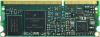 AXEL ULite SOM AXEL ULite SOM
|
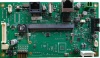 SDV04 SDV04
| |||
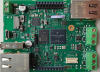 RIALTO SBC RIALTO SBC
| |||
General Information[edit | edit source]
Release Notes[edit | edit source]
DAVE Embedded Systems adds to the Linux BSP from NXP the customization required to support the SOC platform. For this reason most of the documentation provided by NXP remains valid for the DESK development kit.
However, some customization is required, in particular at bootloader and linux kernel levels.
The following table reports the DESK releases information.
| DESK version | |
|---|---|
| Release number | 6.2.0 |
| Release type | Major |
| Status | Released |
| Release date | Jan 2026 |
| Release notes | Ver 6.2.0 |
| Product support | AXEL ULite, RIALTO SBC |
| MVM (distro version) | Ubuntu 20.04 |
| U-Boot version | 2024.04-desk-mx6ul-l-6.2.0 |
| Linux version | 6.6.52-desk-mx6ul-l-6.0.0 |
| Drivers |
SPI NOR Flash (boot) RTC |
| Manufacturer BSP version | lf-6.6.52-2.2.1 |
| Graphic libraries | N.A. |
| Build System | Yocto Scarthgap (5.0) |
DESK-MX6UL-L 6.2.0[edit | edit source]
Release notes:
- Increase SPI-NOR boot speed on AxelULite
Known Issues[edit | edit source]
The following table reports the known limitations of this DESK release:
| Issue | Description |
|---|---|
| Linux kernel | LCD panel not supported yet |
Downloadable binary images[edit | edit source]
All binary images for DESK-MX6UL-L are hosted on DAVE Embedded System mirror server. There is a sub-directory for each version of this development kit.
U-Boot performs a 2-stage bootloader providing two files: SPL and u-boot.img. Both files must be stored on an SD card using the dd command.
A summary of images with a brief description can be found in the table below:
| Image | DESK-MX6UL-L 6.2.0 | |
|---|---|---|
| Platform | SDV04 - SDV0400011C2R | RIALTO SBC - DVRTA00330D2R |
| Carrier Board ConfigID | 003a | 0090 |
| LCD panel | Ampire 800 x 480 7" LVDS 262K colors | |
| SPL | SPL | SPL |
| u-boot.img | u-boot.img | u-boot.img |
| Linux kernel | uImage | uImage |
| Device tree | imx6ul-axelulite-cb003a.dtb | imx6ul-lynx-som0022-cb0090.dtb |
| root file system | dave-image-minimal-desk-mx6ul-axelulite | dave-image-minimal-desk-mx6ul-rialto |
DESK-MX6UL-L 6.1.0[edit | edit source]
Release notes:
- Add support for SBC-Rialto (NAND) and Lynx (SPI)
Known Issues[edit | edit source]
The following table reports the known limitations of this DESK release:
| Issue | Description |
|---|---|
| Linux kernel | LCD panel not supported yet |
Downloadable binary images[edit | edit source]
All binary images for DESK-MX6UL-L are hosted on DAVE Embedded System mirror server. There is a sub-directory for each version of this development kit.
U-Boot performs a 2-stage bootloader providing two files: SPL and u-boot.img. Both files must be stored on an SD card using the dd command.
A summary of images with a brief description can be found in the table below:
| Image | DESK-MX6UL-L 6.1.0 | |
|---|---|---|
| Platform | SDV04 - SDV0400011C2R | RIALTO SBC - DVRTA00330D2R |
| Carrier Board ConfigID | 003a | 0090 |
| LCD panel | Ampire 800 x 480 7" LVDS 262K colors | |
| SPL | SPL | SPL |
| u-boot.img | u-boot.img | u-boot.img |
| Linux kernel | uImage | uImage |
| Device tree | imx6ul-axelulite-cb003a.dtb | imx6ul-lynx-som0022-cb0090.dtb |
| root file system | dave-image-minimal-desk-mx6ul-axelulite | dave-image-minimal-desk-mx6ul-rialto |
DESK-MX6UL-L 6.0.0[edit | edit source]
Release notes:
- update u-boot and linux to desk-mx6ul-l-6.0.0
- update the meta-layer to Scarthgap
Known Issues[edit | edit source]
The following table reports the known limitations of this DESK release:
| Issue | Description |
|---|---|
| NOR Boot | NOR boot performances very slow |
| NAND Boot | SBC-Rialto doesn't support boot from NAND |
| Linux kernel | LCD panel not supported yet |
Downloadable binary images[edit | edit source]
All binary images for DESK-MX6UL-L are hosted on DAVE Embedded System mirror server. There is a sub-directory for each version of this development kit.
U-Boot performs a 2-stage bootloader providing two files: SPL and u-boot.img. Both files must be stored on an SD card using the dd command.
A summary of images with a brief description can be found in the table below:
| Image | DESK-MX6UL-L 6.0.0 | |
|---|---|---|
| Platform | SDV04 - SDV0400011C2R | RIALTO SBC - DVRTA00330D2R |
| Carrier Board ConfigID | 003a | 0090 |
| LCD panel | Ampire 800 x 480 7" LVDS 262K colors | |
| SPL | SPL | SPL |
| u-boot.img | u-boot.img | u-boot.img |
| Linux kernel | uImage | uImage |
| Device tree | imx6ul-axelulite-cb003a.dtb | imx6ul-lynx-som0022-cb0090.dtb |
| root file system | dave-image-minimal-desk-mx6ul-axelulite | dave-image-minimal-desk-mx6ul-rialto |
DESK-MX6UL-L 4.2.1[edit | edit source]
Release notes:
- add support to RIALTO SBC
- update u-boot and linux to desk-mx6ul-l-4.2.0
- add public repo to bluez
- disable splash variable
- update the following meta-layer to the latest version of Kirkstone. With this update, we include CVE fixes
- Poky to the version 4.0.20
- meta-openembedded
- meta-browser
- meta-java
- meta-timesys
- meta-clang
- meta-virtualization
Known Issues[edit | edit source]
The limitations are the same of DESK-MX6UL-L-4.0.0
Downloadable binary images[edit | edit source]
All binary images for DESK-MX6UL-L are hosted on DAVE Embedded System mirror server. There is a sub-directory for each version of this development kit.
U-Boot performs a 2-stage bootloader providing two files: SPL and u-boot.img. Both files must be stored on an SD card using the dd command.
A summary of images with a brief description can be found in the table below:
| Image | DESK-MX6UL-L 4.2.1 | |
|---|---|---|
| Platform | SDV04 - SDV0400011C2R | RIALTO SBC - DVRTA00330D2R |
| Carrier Board ConfigID | 003a | 0090 |
| LCD panel | Ampire 800 x 480 7" LVDS 262K colors | |
| SPL | SPL | SPL |
| u-boot.img | u-boot.img | u-boot.img |
| Linux kernel | uImage | uImage |
| Device tree | imx6ul-axelulite-cb003a.dtb | imx6ul-lynx-som0022-cb0090.dtb |
| root file system | dave-image-devel-desk-mx6ul-axelulite | dave-image-devel-desk-mx6ul-rialto |
Yocto images and built-in packages[edit | edit source]
Yocto target images for DESK-MX6UL-L are hosted on DAVE Embedded System mirror server. More build targets include a list of built and installed packages in the root file system image.
A summary of built images and their included packages can be found in the table below:
| Image | DESK-MX6UL-L version 4.2.1 | |
|---|---|---|
| SD card image | rootfs packages list | |
| devel AxelULite | desk-image-devel.bz2 | image-devel_installed-packages.txt |
| qt6 FB AxelULite | desk-image-qt6-fb.bz2 | image-qt6-fb_installed-packages.txt |
| devel RIALTO SBC | desk-image-devel.bz2 | image-devel_installed-packages.txt |
DESK-MX6UL-L 4.1.0[edit | edit source]
Release notes:
- drop support for Lynx platform
- introduced KAS support for building system
- update to NXP lf-5.15.71-2.2.2
- remove some kernel runtime warnings/error
Known Issues[edit | edit source]
The limitations are the same of DESK-MX6UL-L-4.0.0
Downloadable binary images[edit | edit source]
All binary images for DESK-MX6UL-L are hosted on DAVE Embedded System mirror server. There you can find a sub directory for each version of this development kit.
U-Boot performs 2-stage bootloader providing two files: SPL and u-boot.img. Both two files must be stored into SD card using dd command.
A summary of images with a brief description can be found into the table below:
| Image | DESK-MX6UL-L 4.1.0 | |
|---|---|---|
| Platform | SDV04 - SDV0400011C2R | |
| Carrier Board ConfigID | 003a | |
| LCD panel | Ampire 800 x 480 7" LVDS 262K colors | |
| SPL | SPL | |
| u-boot.img | u-boot.img | |
| Linux kernel | uImage | |
| Device tree | imx6ul-axelulite-cb003a.dtb | |
| root file system | dave-image-devel-desk-mx6ul-axelulite | |
Yocto images and built-in packages[edit | edit source]
Yocto target images for DESK-MX6UL-L are hosted on DAVE Embedded System mirror server. There are more build targets which include a list of built and installed packages in the root file system image.
A summary of built images and their included packages can be found in the table below:
| Image | DESK-MX6UL-L version 4.1.0 | |
|---|---|---|
| root file system | packages list | |
| devel | desk-image-devel.bz2 | image-devel_installed-packages.txt |
| qt6 fb | desk-image-qt6-fb.bz2 | image-qt6-fb_installed-packages.txt |
DESK-MX6UL-L 4.0.1[edit | edit source]
Release notes:
- Minor change to DESK-MX6UL-L-4.0.0
- add missing
linuxfbplatform for iMX6UL - add missing fonts and Qt6 examples
Known Issues[edit | edit source]
The limitations are the same of DESK-MX6UL-L-4.0.0
Downloadable binary images[edit | edit source]
All binary images for DESK-MX6UL-L are hosted on DAVE Embedded System mirror server. There you can find a sub directory for each version of this development kit.
U-Boot performs 2-stage bootloader providing two files: SPL and u-boot.img. Both two files must be stored into SD card using dd command.
A summary of images with a brief description can be found into the table below:
| Image | DESK-MX6UL-L 4.0.1 | |
|---|---|---|
| Platform | SDV04 - SDV0400011C2R | SBC Lynx - SXUB4000I3R |
| Carrier Board ConfigID | 003a | 002f |
| LCD panel | Ampire 800 x 480 7" LVDS 262K colors | N.A. |
| SPL | SPL | SPL |
| u-boot.img | u-boot.img | u-boot.img |
| Linux kernel | uImage | |
| Device tree | imx6ul-axelulite-cb003a.dtb | imx6ul-lynx-som0013-cb002f.dtb |
| root file system | dave-image-devel-desk-mx6ul-axelulite | dave-image-devel-desk-mx6ul-lynx |
DESK-MX6UL-L 4.0.0[edit | edit source]
 New MVM must be installed for using |
Release notes:
- Major change to NXP BSP 5.15.71
- Updated U-Boot and kernel versions
- Updated Yocto version
- Updated Qt version
Known Issues[edit | edit source]
The following table reports the known limitations of this DESK release:
| Issue | Description |
|---|---|
Linux kernel xconfig
|
make xconfig does not work
|
Downloadable binary images[edit | edit source]
All binary images for DESK-MX6UL-L are hosted on DAVE Embedded System mirror server. There you can find a sub directory for each version of this development kit.
U-Boot performs 2-stage bootloader providing two files: SPL and u-boot.img. Both two files must be stored into SD card using dd command.
A summary of images with a brief description can be found into the table below:
| Image | DESK-MX6UL-L 4.0.0 | |
|---|---|---|
| Platform | SDV04 - SDV0400011C2R | SBC Lynx - SXUB4000I3R |
| Carrier Board ConfigID | 003a | 002f |
| LCD panel | Ampire 800 x 480 7" LVDS 262K colors | N.A. |
| SPL | SPL | SPL |
| u-boot.img | u-boot.img | u-boot.img |
| Linux kernel | uImage | |
| Device tree | imx6ul-axelulite-cb003a.dtb | imx6ul-lynx-som0013-cb002f.dtb |
| root file system | dave-image-devel | |
DESK-MX6UL-L 3.0.0[edit | edit source]
|
New MVM must be installed for using |
Release notes:
- Major change to NXP BSP 5.10.35
- Updated U-Boot and kernel versions
- Updated Yocto version
- Updated Qt version
Known Issues[edit | edit source]
The following table reports the known limitations of this DESK release:
| Issue | Description |
|---|---|
| Qt5 linuxfb not working | platform linuxfb is not present on desk-image-qt5 image target
|
Linux kernel xconfig
|
make xconfig does not work
|
Downloadable binary images[edit | edit source]
All binary images for DESK-MX6UL-L are hosted on DAVE Embedded System mirror server. There you can find a sub directory for each version of this development kit.
U-Boot performs 2-stage bootloader providing two files: SPL and u-boot.img. Both two files must be stored into SD card using dd command.
A summary of images with a brief description can be found into the table below:
| Image | DESK-MX6UL-L 3.0.0 | |
|---|---|---|
| Platform | SDV04 - SDV0400011C2R | SBC Lynx - SXUB4000I3R |
| Carrier Board ConfigID | 003a | 002f |
| LCD panel | Ampire 800 x 480 7" LVDS 262K colors | N.A. |
| SPL | SPL | SPL |
| u-boot.img | u-boot.img | u-boot.img |
| Linux kernel | uImage | |
| Device tree | imx6ul-axelulite-cb003a.dtb | imx6ul-lynx-som0013-cb002f.dtb |
| root file system | dave-image-devel | |
DESK-MX6UL-L 1.0.1[edit | edit source]
|
New MVM must be installed for using |
Release notes:
- Major change to NXP BSP 4.14.98
- Updated U-Boot and kernel versions
- Updated Yocto version
- Updated Qt version
Known Issues[edit | edit source]
The following table reports the known limitations of this DESK release:
| Issue | Description |
|---|---|
| Qt5 linuxfb not working | platform linuxfb is not present on desk-image-qt5 image target
|
Linux kernel xconfig
|
make xconfig does not work
|
Downloadable binary images[edit | edit source]
All binary images for DESK-MX6UL-L are hosted on DAVE Embedded System mirror server. There you can find a sub directory for each version of this development kit.
U-Boot performs 2-stage bootloader providing two files: SPL and u-boot.img. Both two files must be stored into SD card using dd command.
A summary of images with a brief description can be found into the table below:
| Image | DESK-MX6UL-L 1.0.1 | |
|---|---|---|
| Platform | SDV04 - SDV0400011C2R | SBC Lynx - SXUB4000I3R |
| Carrier Board ConfigID | 003a | 002f |
| LCD panel | Ampire 800 x 480 7" LVDS 262K colors | N.A. |
| bootscript | boot.scr | |
| SPL | SPL | SPL |
| u-boot.img | u-boot.img | u-boot.img |
| Linux kernel | uImage | |
| Device tree | imx6ul-axelulite-cb003a.dtb | imx6ul-lynx-som0013-cb002f.dtb |
| root file system | dave-image-devel | |
Release types[edit | edit source]
DESK release type can be:
- Major, when substantial changes are applied to the BSP (eg: major kernel version upgrades) or to the development kit (eg: new features, build system updates, ..). This usually means that a new DVDK is created for the DESK release
- Maintenance, when minor updates and bug fixes are introduced. This usually means that the DVDK remains the same provided with the previous major version, and only an update of the source tree repositories (and the tftp binaries) is required
As an example, DESK 1.1.0 is a maintenance release, so it provides the DVDK released with the 1.0.0 major release; customers can easily upgrade to the 1.1.0 release by updating the software components as described in Synchronizing git repositories.
Supported platforms[edit | edit source]
The following table reports the supported platforms in this DESK release:
| Platform | Description |
|---|---|
| SBC Lynx | Single Board Computer using the i.MX6UL SOC |
| SDV04 | Single Board Computer using AXEL_ULite SOM as Evaluation Kit |
Virtual Machine[edit | edit source]
DESK-MX6UL-L contains all the required software and documentation to start developing Linux application on the AXEL ULite platform. In particular, DESK-MX6UL-L provides a virtual machine, called DVDK, with the following features:
- VirtualBox virtual machine (.OVA archive)
- based on Lubuntu 20.04 LTS (64-bit version)
- pre-installed VirtualBox Guest Additions
- LXDE desktop environment
- boot disk with the distro and pre-configured basic Linux services:
- TFTP: with base directory
/srv/tftp/ - NFS: configured through the
/etc/exportsfile
- TFTP: with base directory
- secondary disk containing source code and tools:
- bootloader (u-boot) source tree cloned from DAVE Embedded Systems public git repository
- Linux kernel source tree cloned from DAVE Embedded Systems public git repository
- external pre-built toolchain
- Yocto BSP for AXEL ULite SOM
- pre-installed Yocto-based root file systems with setup scripts, makefiles, example applications, ...
- administrator account (dvdk) with autologin. Please note that the user account credentials are provided with the development kit (you can find them in the README file contained in the sw/dvdk folder of the kit distribution)
- user: dvdk
- password: dvdk
Please note that u-boot and kernel source trees are derived from the official trees released by NXP/Freescale; these trees have been customized to add support for the AXEL ULite SOM.
Guest Addictions[edit | edit source]
Guest Addictions installation may fail if the VirtualBox version is different from the VM linux kernel version.
In case of VBox error message:
Error: kernel headers not found
as suggested here, install the correct kernel header using the following command:
sudo apt-get install linux-headers-`uname -r`
and the run the Guest Addictions install
dvdk@vagrant:/media/dvdk/VBox_GAs_6.1.18$ sudo ./VBoxLinuxAdditions.run
Verifying archive integrity... All good.
Uncompressing VirtualBox 6.1.18 Guest Additions for Linux........
VirtualBox Guest Additions installer
Removing installed version 6.1.16 of VirtualBox Guest Additions...
update-initramfs: Generating /boot/initrd.img-4.4.0-197-generic
Copying additional installer modules ...
Installing additional modules ...
VirtualBox Guest Additions: Starting.
VirtualBox Guest Additions: Building the VirtualBox Guest Additions kernel
modules.  This may take a while.
VirtualBox Guest Additions: To build modules for other installed kernels, run
VirtualBox Guest Additions:   /sbin/rcvboxadd quicksetup <version>
VirtualBox Guest Additions: or
VirtualBox Guest Additions:   /sbin/rcvboxadd quicksetup all
VirtualBox Guest Additions: Building the modules for kernel 4.4.0-197-generic.
update-initramfs: Generating /boot/initrd.img-4.4.0-197-generic
W: mdadm: /etc/mdadm/mdadm.conf defines no arrays.
VirtualBox Guest Additions: Running kernel modules will not be replaced until
the system is restarted
dvdk@vagrant:/media/dvdk/VBox_GAs_6.1.18$
Host setup[edit | edit source]
|
Since your OS, where VirtualBox is running, can be different compared to the version that we using, in case of an error we suggest updating VirtualBox to the latest release patch. For example, if we used |
As stated previously, AXEL ULite SOM host tools are based on a Managed Virtual Machine, we used virtualbox-6.1_6.1.18-142142 to perform virtual machine. MVM OVA files can be downloaded here. For accessing DESK Reserved area please contact our helpdesk support channel
To install it, please refer to this page.
It is worth remembering that access to git repositories is required to download target source code. To enable it, please refer to this page.
Toolchain installation[edit | edit source]
|
The DESK-MX6UL-L Ubuntu 20.04 Virtual Machine - used up to DESK-MX6UL-L-4.x.x release - is still valid. |
This means that only the toolchain needs to be installed in the VM for building the new BSP.
- download the toolchain from the DESK-MX6UL-L-6.0.0 mirror server
dvdk@vagrant:~/desk-mx-l$ wget https://mirror.dave.eu/desk-mx-l/desk-mx6ul-l-6.0.0/fsl-imx-fb-glibc-x86_64-core-image-minimal-cortexa7t2hf-neon-desk-mx6ul-axelulite-toolchain-6.6-scarthgap.sh
...
...
dvdk@vagrant:~/desk-mx-l$
- launch the installation downloaded file
dvdk@vagrant:~/desk-mx-l$ ./fsl-imx-fb-glibc-x86_64-core-image-minimal-cortexa7t2hf-neon-desk-mx6ul-axelulite-toolchain-6.6-scarthgap.sh
NXP i.MX Release Distro SDK installer version 6.6-scarthgap
===========================================================
Enter target directory for SDK (default: /opt/fsl-imx-fb/6.6-scarthgap):
You are about to install the SDK to "/opt/fsl-imx-fb/6.6-scarthgap". Proceed [Y/n]? Y
Extracting SDK..............................................................................................................done
Setting it up...done
SDK has been successfully set up and is ready to be used.
Each time you wish to use the SDK in a new shell session, you need to source the environment setup script e.g.
 $ . /opt/fsl-imx-fb/6.6-scarthgap/environment-setup-cortexa7t2hf-neon-poky-linux-gnueabi
dvdk@vagrant:~/desk-mx-l$
- when required, source the environment for enabling the cross-toolchain to properly build ARM application
dvdk@vagrant:~/desk-mx-l$ source /opt/fsl-imx-fb/6.6-scarthgap/environment-setup-cortexa7t2hf-neon-poky-linux-gnueabi
dvdk@vagrant:~/desk-mx-l$ echo $CC
arm-poky-linux-gnueabi-gcc -mthumb -mfpu=neon -mfloat-abi=hard -mcpu=cortex-a7 -fstack-protector-strong -O2 -D_FORTIFY_SOURCE=2 -Wformat -Wformat-security -Werror=format-security -D_TIME_BITS=64 -D_FILE_OFFSET_BITS=64 --sysroot=/opt/fsl-imx-fb/6.6-scarthgap/sysroots/cortexa7t2hf-neon-poky-linux-gnueabi
dvdk@vagrant:~/desk-mx-l$
ConfigID and UniqueID[edit | edit source]
ConfigID[edit | edit source]
ConfigID is a new feature of DAVE Embedded Systems products. Its main purpose is providing an automatic mechanism for the identification of the product model and configuration.
With ConfigID, we aim at:
- completing the hardware configuration information that the software can't normally auto-detect (i.e. RAM chip version,...), implementing a dedicated reliable detect procedure
- when required, overriding the auto-detected hardware configuration information
When implemented, this mechanism allows for:
- initializing in the proper way the hardware platform, based on the specific features and parameters of the product, using a common software base (eg: a typical case is the SDRAM controller parameters, which must be configured by U-Boot depending on the particular memory chip, which can be different for the various SOM models)
- getting the complete hardware configuration (combining ConfigID with the information collectable at runtime) of a product deployed on the field
In simple words, model identification means the capability of reading a numerical code, stored in an available device (SOC's OTP , I2C EEPROM, 1-wire memories, protected NOR flash, etc.)
There are two ConfigIDs:
- SOM ConfigID: which reflects the characteristics of the SOM (stored on the SOM itself)
- Carrier Board (CB) ConfigID: which reflects the characteristics of the carrier board that hosts the SOM (stored on the carrier board itself and read by the SOM at boot time)
UniqueID[edit | edit source]
An additional attribute is UniqueID, which is a read-only code which univocally identifies a single product and is used for traceability.
|
It is worth remembering that ConfigID and UniqueID are independent from product serial number. |
Customer's action[edit | edit source]
DAVE Embedded Systems recommends to be up-to-date with Official SOM's BSPs for taking advantages of ConfigID/UniqueId features: this is the only required action.
- ConfigID advantage: to allow U-Boot bootloader to be executed only with the correct configuration (if the U-Boot loaded is not the proper one, it may stop execution avoiding incorrect behaviour)
- UniqueID advantage: to trace univocally each individual SOMs and, in turn, all the on-the-field equipments
ConfigID values[edit | edit source]
ConfigID is a N-bit (typically N>8) signed integer, that can have the following values:
- < 0: error
- -1: not initialized
- = 0: ConfigID legacy
- for prototypes (ConfigID not yet defined) or for products manufactured before the introduction of the ConfigID feature
- > 0: valid ConfigID
- values are reported accordingly with the specific product table
Hardware implementations of the ConfigID[edit | edit source]
The following paragraphs briefly describe the available solutions for storing the ConfigID.
OTP on the SOC[edit | edit source]
Some SOCs provides programmable OTPs (eg. for security, MAC address, boot modes, etc). Usually, some of these are general purpose registers and can be managed by the user.
This is the ideal implementation, because:
- ConfigID is stored in the most important component of the SOM
- the component that hosts the ConfigID is NOT optional
- typically, a very selective lock can be forced. In general, for reliability and/or security reasons, OTP areas used to store ConfigIDs may be locked during the manufacturing process.
OTP 1-wire memory[edit | edit source]
This implementation requires a 1-wire memory chip.
I2C Eeprom[edit | edit source]
This implementation requires connecting an EEPROM to an I2C bus of the SOC. Moreover, routing a write protect pin to the SOM connector is required.
NOR Flash SPI[edit | edit source]
This implementation requires a NOR flash connected to the SPI bus of the SOC.
DAVE Embedded Systems' hardware implementation[edit | edit source]
DAVE's SOCs implement the ConfigID feature depending on hardware Capabilities of the SOCs. The following list shows the priority used for its implementation:
- OTPs
- example: AXEL family processor (i.MX6) implements ConfigID using processor's OTP
- AXEL uses GP1 eFuse register to store ConfigID
- NOR Flash SPI
- example: DIVA family processor (AM335x) implements ConfigID using NOR SPI (if present)
- DIVA and BORA use the first 32bytes OTP block on NOR SPI to store ConfigID (and its CRC32), UniqueID (and its CRC32)
- I2C Eeprom
- example: DIVA family processor (AM335x) or BORA Lite processor (ZYNQ) implements ConfigID using I2C Eeprom when NOR SPI is not present (module boots from NAND or SD)
- DIVA and BORA Lite use the first 32bytes on I2C EPROM to store ConfigID (and its CRC32), UniqueID (and its CRC32)
- 1-wire
- example: latest AXEL Lite, AXEL ULite and BORA/BORA Xpress/BORA Lite Evaluation Kits implement CB ConfigID using the onboard 1-wire device (DS2431)
Software implementation[edit | edit source]
U-Boot[edit | edit source]
u-boot integrates the software routines for reading and displaying the ConfigID: hereunder an example of SOM ConfigID at startup:
U-Boot 2013.04-00010-gcb05b30 (Jun 26 2015 - 12:49:26)-xelk-2.1.0

CPU:   Freescale i.MX6Q rev1.5 at 792 MHz
CPU:   Temperature 47 C, limits (-40 C, 125 C), calibration data: 0xc0
Reset cause: POR
Environment: SPI Flash
I2C:   ready
DRAM:  2 GiB
Now running in RAM - U-Boot at: 8ff35000
NAND:  512 MiB
MMC:   FSL_SDHC: 0, FSL_SDHC: 1
SF: Detected S25FL256S with page size 64 KiB, total 32 MiB
In:    serial
Out:   serial
Err:   serial
Power: found PFUZE100 (devid=10, revid=21)
SOM ConfigID#: 00000003
SOM UniqueID#: df646299:0b0579d4
For accessing these information on Linux procfs, the device tree must be modified (using u-boot fdt command): for example:
DIVA# setenv fdtfixup 'fdt addr ${fdtaddr}; run fdtfixup_configid'
DIVA# setenv fdtfixup_configid 'fdt set / som_configid ${som_configid#}; fdt set / som_uniqueid ${som_uniqueid#}; fdt set / cb_configid ${cb_configid#}; fdt set / cb_uniqueid ${cb_uniqueid#}'
Linux[edit | edit source]
It is possible to read the ConfigID/UniqueID via procfs; for example:
root@axel-lite:~# cat /proc/device-tree/som/configid && echo
00000003
root@axel-lite:~# cat /proc/device-tree/som/uniqueid && echo
df646299:0b0579d4
root@axel-lite:~#
Legacy device tree, has a sightly different procfs structure:
root@axel-lite:~# cat /proc/device-tree/som_configid && echo
00000003
root@axel-lite:~# cat /proc/device-tree/som_uniqueid && echo
df646299:0b0579d4
root@axel-lite:~#
A real case example of ConfigID benefit[edit | edit source]
The ConfigID benefit is clear when:
- there is a number of products deployed on the field
- the products deployed on the field needs a SW update
The ideal scenario is that all products are equal and there are no differences on the Bill Of Material (BOM):
- All products have the same BOM with a single Config ID

ConfigID A
ConfigID A
ConfigID A
ConfigID A
ConfigID A
ConfigID A

In this case there are no problems to deploy a new SW update on the field: all products have the same HW configuration, then the same SW configuration.
Unfortunately, this is an ideal scenario. The reality is that:
- component obsolescence
- product shortage
- second source strategies
force to have an on-the-field different version of product (with same functionalities but with different HW configuration) which doesn't permit to realize what proposed in the ideal case.
|
The usage of the ConfigID technique, allows the running SW to identify the underlying HW configuration and automatically adapt the BSP (i.e. the driver layer) to properly use the HW subsystems: this, maintaining the overall product features identical to the final User point-of-view. |
- All products are similar BUT there are different Config ID between the 2 product versions
ConfigID A
ConfigID A
ConfigID B
ConfigID B
ConfigID A
ConfigID B

With a scenario, like the one described above, if you would like to update the SW you need to implement a strategy for understanding what platform version is going to be updated. The Config ID is used exactly for this goal.
The ConfigID provides to the software update routine the information on which product version is so the update can be adapted to the exact product version.
In this way, you can distribute one single version of the software update which will automatically adapt itself to the currently running platform.
How to handle After Sales with Config ID[edit | edit source]
One of the mos common questions about Config ID is how to handle the Config ID issue. Below is described with an example how to handle it.
This product is returned from the field with a problem on the display:
After Sales Dept analizes the product and decide to substitute the display. The problem is that the existing display is not available - because of is End Of Life (EOL) - and it is required to move to a different display: in the product a different Config ID will be written because of the 2 displays requires a dedicated SW version and cannot be distinguished automatically during the startup. The final result is to have the similar product:
As indicated, the new display requires a different Config ID (from A to B) so it can be updated with an easy software routine before start the SW update. This Config ID update routine can be implemented in manufacturing facility typically using a dedicated USB pen drive which modify the saved ConfigID to the new one depending on the storage memory in use
ConfigID[edit | edit source]
This article describes how the ConfigID is implemented in the products supported by the DESK-MX6UL-L Linux Kit.
AXEL ULite[edit | edit source]
As AXEL ULite is a system-on-module (SOM), the typical mechanism described here is used.
Moreover, a system is composed of the combination of a SOM and a carrier board. In this case, two ConfigIDs are used to identify the actual board configuration like it was a SOM+carrier board system.
For the sake of simplicity, the first ConfigID is denoted as SOM ConfigID, while the second one is denoted as CB ConfigID:
...
SOM ConfigID#: 00000014
SOM UniqueID#: ee6ac309:171411d4
CB ConfigID#: 0000003a
CB UniqueID#: 00000000:00000000
Board: MX6UL AXEL ULite rev.A on SDV04
...
Generally speaking:
- SOM ConfigID is used to identify the configuration of the basic features of the SOM
- CB ConfigID is used to identify the peripherals and the I/O interfaces.
|
NXP silicon manufacturer guarantees that processors UIDs (a.k.a. SOM UniqueID# on DESK-MX6UL-L) to be unique over the whole MX6UL family |
Booting from NFS[edit | edit source]
This configuration is very helpful during the software development (both for kernel and applications). The kernel image is downloaded via TFTP while the root file system is remotely mounted via NFS from the host. It is assumed that the development host:
- is connected with the target host board through an Ethernet LAN
- exports the directory containing the root file system for the target through the NFS server
- runs a TFTP server.
- has a proper subnet IP address
net_nfs configuration[edit | edit source]
DESK-MX6UL-L Virtual Machine is properly configured for the TFTP and NFS debug.
In any case, some variables has to be configured on the target and the VM itself has to be configured for respect to the network environment.
Host (Virtual Machine) configuration[edit | edit source]
The DESK-MX6UL-L Virtual Machine has the tftp and nfs services already running. Optionally, their configuration has to be changed according to the network configuration where the target is connected to.
Check and properly configure the items describe in VirtualBox Network Configuration
root file system[edit | edit source]
First of all, extract the new root file system in a proper directory in the VM:
dvdk@vagrant:~/desk-mx-l/rfs$ wget https://mirror.dave.eu/desk-mx-l/desk-mx6ul-l-6.0.0/dave-image-minimal-desk-mx6ul-axelulite-fsl-imx-fb.tar.bz2
--2025-12-17 11:04:45--  https://mirror.dave.eu/desk-mx-l/desk-mx6ul-l-6.0.0/dave-image-minimal-desk-mx6ul-axelulite-fsl-imx-fb.tar.bz2
Resolving mirror.dave.eu (mirror.dave.eu)... 84.46.251.143
Connecting to mirror.dave.eu (mirror.dave.eu)|84.46.251.143|:443... connected.
HTTP request sent, awaiting response... 200 OK
Length: 137695245 (131M) [application/x-bzip2]
Saving to: ‘dave-image-minimal-desk-mx6ul-axelulite-fsl-imx-fb.tar.bz2’

dave-image-minimal-desk-mx6ul-axelulite-fsl-imx 100%[====================================================================================================>] 131.32M  11.3MB/s    in 13s

2025-12-17 11:04:59 (9.93 MB/s) - ‘dave-image-minimal-desk-mx6ul-axelulite-fsl-imx-fb.tar.bz2’ saved [137695245/137695245]

dvdk@vagrant:~/desk-mx-l/rfs$ mkdir desk-mx6ul-l-6.0.0
dvdk@vagrant:~/desk-mx-l/rfs$ sudo tar jxpf dave-image-minimal-desk-mx6ul-axelulite-fsl-imx-fb.tar.bz2 -C desk-mx6ul-l-6.0.0
then create a proper link to the new rfs:
dvdk@vagrant:~/desk-mx-l/rfs$ sudo rm desk-mx6ul-l
dvdk@vagrant:~/desk-mx-l/rfs$ sudo ln -s desk-mx6ul-l-6.0.0 desk-mx6ul-l
Target configuration[edit | edit source]
The IP address for server and target should be configured: an example (for a network subnet 192.168.0.x)
=> setenv serverip 192.168.0.125
=> setenv ipaddr 192.168.0.90
serveripis the IP address of the host machine running the tftp/nfs serveripaddris the IP address of the target
The kernel and device tree files has to be selected
=> setenv bootfile desk-mx-l/uImage
=> setenv fdtfile desk-mx-l/imx6ul-axelulite-cb003a.dtb
finally, the root file system directory on the Virtual Machine should be configured for let the kernel to find the INIT
=> setenv rootpath /home/dvdk/desk-mx-l/rfs/desk-mx6ul-l/
To run this configuration just issue the net_nfs command which firstly download the kernel and device tree using the tftp protocol
U-Boot SPL 2024.04-desk-mx6ul-l-6.0.0+fslc+g4abe9e61e05+p0 (Dec 09 2025 - 13:27:10 +0000)
SOM ConfigID#: 0000001d
Trying to boot from MMC1


U-Boot 2024.04-desk-mx6ul-l-6.0.0+fslc+g4abe9e61e05+p0 (Dec 09 2025 - 13:27:10 +0000)

CPU:   Freescale i.MX6UL rev1.2 528 MHz (running at 396 MHz)
CPU:   Industrial temperature grade (-40C to 105C) at 54C
Reset cause: POR
Model: AxelULite on SFCZG
DRAM:  512 MiB
Relocating to 9ee53000, new gd at 9de52ea0, sp at 9de4ac40
Core:  60 devices, 23 uclasses, devicetree: separate
NAND:  2048 MiB
MMC:   FSL_SDHC: 0
Loading Environment from MMC... OK
[*]-Video Link 0 (800 x 480)
        [0] lcdif@21c8000, video
In:    serial
Out:   serial
Err:   serial
SEC0:  RNG instantiated
switch to partitions #0, OK
mmc0 is current device (SD)
SOM ConfigID#: 0000001d
SOM UniqueID#: ee6ac309:184729d4
CB ConfigID#: 0000003a
CB UniqueID#: 00000000:00000000
Board: MX6UL AXEL ULite rev.A on SDV04
Net:   eth0: ethernet@2188000 [PRIME]
Fastboot: Normal
Normal Boot
Hit any key to stop autoboot:  0
=> run net_nfs
Using ethernet@2188000 device
TFTP from server 192.168.0.125; our IP address is 192.168.0.90
Filename 'desk-mx6ul-l/uImage'.
Load address: 0x80800000
Loading: #################################################################
         #################################################################
         #################################################################
         #################################################################
         #################################################################
         #################################################################
         #################################################################
         #################################################################
         #################################################################
         #################################################################
         #################################################################
         #################################################################
         #################################################################
         #################################################################
         #################################################################
         #################################################################
         #################################################################
         #################################################################
         #################################################################
         #################################################################
         #################################################################
         #################################################################
         #################################################################
         #################################################################
         #################################################################
         #################################################################
         #################################################################
         #################################################################
         #################################################################
         #################################################################
         #################################################################
         #################
         292 KiB/s
done
Bytes transferred = 10401080 (9eb538 hex)
Using ethernet@2188000 device
TFTP from server 192.168.0.125; our IP address is 192.168.0.90
Filename 'desk-mx6ul-l/imx6ul-axelulite-cb003a.dtb'.
Load address: 0x83000000
Loading: #######
         227.5 KiB/s
done
Bytes transferred = 32964 (80c4 hex)
Working FDT set to 83000000
Working FDT set to 83000000
Working FDT set to 83000000
FDT: override 'som_uniqueid' with 'ee6ac309:184729d4'
FDT: override 'cb_uniqueid' with '00000000:00000000'
## Booting kernel from Legacy Image at 80800000 ...
   Image Name:   Linux-6.6.52-desk-mx6ul-l-6.0.0-
   Image Type:   ARM Linux Kernel Image (uncompressed)
   Data Size:    10401016 Bytes = 9.9 MiB
   Load Address: 80008000
   Entry Point:  80008000
   Verifying Checksum ... OK
## Flattened Device Tree blob at 83000000
   Booting using the fdt blob at 0x83000000
Working FDT set to 83000000
   Loading Kernel Image to 80008000
   Using Device Tree in place at 83000000, end 8300bfff
Working FDT set to 83000000

Starting kernel ...

[    0.000000] Booting Linux on physical CPU 0x0
[    0.000000] Linux version 6.6.52-desk-mx6ul-l-6.0.0-gabab4e2fb8c4 (oe-user@oe-host) (arm-poky-linux-gnueabi-gcc (GCC) 13.3.0, GNU ld (GNU Binutils) 2.42.0.20240723) #1 SMP PREEMPT Tue Dec  9 13:39:09 UTC 2025
[    0.000000] CPU: ARMv7 Processor [410fc075] revision 5 (ARMv7), cr=10c5387d
[    0.000000] CPU: div instructions available: patching division code
[    0.000000] CPU: PIPT / VIPT nonaliasing data cache, VIPT aliasing instruction cache
[    0.000000] OF: fdt: Machine model: AxelULite on SFCZG
[    0.000000] Memory policy: Data cache writealloc
[    0.000000] cma: Reserved 32 MiB at 0x9e000000 on node -1
[    0.000000] Zone ranges:
[    0.000000]   Normal   [mem 0x0000000080000000-0x000000009fffffff]
[    0.000000]   HighMem  empty
[    0.000000] Movable zone start for each node
[    0.000000] Early memory node ranges
[    0.000000]   node   0: [mem 0x0000000080000000-0x000000009fffffff]
[    0.000000] Initmem setup node 0 [mem 0x0000000080000000-0x000000009fffffff]
[    0.000000] percpu: Embedded 12 pages/cpu s18900 r8192 d22060 u49152
[    0.000000] Kernel command line: root=/dev/nfs ip=192.168.0.90:192.168.0.125:192.168.0.254:255.255.255.0::eth0:off panic=1 nfsroot=192.168.0.125:/home/dvdk/desk-mx-l/rfs/desk-mx6ul-l,nfsvers=3,tcp fec_mac=70:b3:d5:3e:a2:ae console=ttymxc0,115200 vmalloc=400M panic=5 mtdparts=gpmi-nand:2M(nand-SPL),6M(nand-uboot),1M(nand-env1),1M(nand-env2),1M(nand-fdt),1M(nand-spare),12M(nand-kernel),4M(nand-splash),-(nand-ubi);spi0.0:64k(spi-SPL),960k(spi-uboot),256k(spi-env1),256k(spi-env2),512k(spi-dtb),11M(spi-kernel),2M(spi-splash),-(spi-free)
[    0.000000] Unknown kernel command line parameters "fec_mac=70:b3:d5:3e:a2:ae", will be passed to user space.
[    0.000000] Dentry cache hash table entries: 65536 (order: 6, 262144 bytes, linear)
[    0.000000] Inode-cache hash table entries: 32768 (order: 5, 131072 bytes, linear)
[    0.000000] Built 1 zonelists, mobility grouping on.  Total pages: 129920
[    0.000000] mem auto-init: stack:all(zero), heap alloc:off, heap free:off
[    0.000000] Memory: 463960K/524288K available (14336K kernel code, 1378K rwdata, 4520K rodata, 1024K init, 425K bss, 27560K reserved, 32768K cma-reserved, 0K highmem)
[    0.000000] SLUB: HWalign=64, Order=0-3, MinObjects=0, CPUs=1, Nodes=1
[    0.000000] rcu: Preemptible hierarchical RCU implementation.
[    0.000000] rcu:     RCU event tracing is enabled.
[    0.000000] rcu:     RCU restricting CPUs from NR_CPUS=4 to nr_cpu_ids=1.
[    0.000000]  Trampoline variant of Tasks RCU enabled.
[    0.000000] rcu: RCU calculated value of scheduler-enlistment delay is 10 jiffies.
[    0.000000] rcu: Adjusting geometry for rcu_fanout_leaf=16, nr_cpu_ids=1
[    0.000000] NR_IRQS: 16, nr_irqs: 16, preallocated irqs: 16
[    0.000000] rcu: srcu_init: Setting srcu_struct sizes based on contention.
[    0.000000] Switching to timer-based delay loop, resolution 41ns
[    0.000003] sched_clock: 32 bits at 24MHz, resolution 41ns, wraps every 89478484971ns
[    0.000042] clocksource: mxc_timer1: mask: 0xffffffff max_cycles: 0xffffffff, max_idle_ns: 79635851949 ns
[    0.003125] Console: colour dummy device 80x30
[    0.003215] Calibrating delay loop (skipped), value calculated using timer frequency.. 48.00 BogoMIPS (lpj=240000)
[    0.003255] CPU: Testing write buffer coherency: ok
[    0.003356] pid_max: default: 32768 minimum: 301
[    0.003766] Mount-cache hash table entries: 1024 (order: 0, 4096 bytes, linear)
[    0.003810] Mountpoint-cache hash table entries: 1024 (order: 0, 4096 bytes, linear)
[    0.006051] CPU0: update cpu_capacity 1024
[    0.006093] CPU0: thread -1, cpu 0, socket 0, mpidr 80000000
[    0.009529] RCU Tasks: Setting shift to 0 and lim to 1 rcu_task_cb_adjust=1.
[    0.009974] Setting up static identity map for 0x80100000 - 0x80100060
[    0.010621] rcu: Hierarchical SRCU implementation.
[    0.010643] rcu:     Max phase no-delay instances is 1000.
[    0.012240] smp: Bringing up secondary CPUs ...
[    0.012309] smp: Brought up 1 node, 1 CPU
[    0.012339] SMP: Total of 1 processors activated (48.00 BogoMIPS).
[    0.012362] CPU: All CPU(s) started in SVC mode.
[    0.013652] devtmpfs: initialized
[    0.026781] Duplicate name in lcdif@21c8000, renamed to "display#1"
[    0.031593] VFP support v0.3: implementor 41 architecture 2 part 30 variant 7 rev 5
[    0.032306] clocksource: jiffies: mask: 0xffffffff max_cycles: 0xffffffff, max_idle_ns: 19112604462750000 ns
[    0.032367] futex hash table entries: 256 (order: 2, 16384 bytes, linear)
[    0.034929] pinctrl core: initialized pinctrl subsystem
[    0.038689] NET: Registered PF_NETLINK/PF_ROUTE protocol family
[    0.057843] DMA: preallocated 256 KiB pool for atomic coherent allocations
[    0.061425] thermal_sys: Registered thermal governor 'step_wise'
[    0.061630] cpuidle: using governor menu
[    0.062180] CPU identified as i.MX6UL, silicon rev 1.2
[    0.062212] Use WDOG1 as reset source
[    0.075771] platform soc: Fixed dependency cycle(s) with /soc/bus@2000000/gpc@20dc000
[    0.099974] platform 20e0000.pinctrl: Fixed dependency cycle(s) with /soc/bus@2000000/pinctrl@20e0000/imx6ul-axelulite/gpioext-grp
[    0.117262] No ATAGs?
[    0.117406] hw-breakpoint: found 5 (+1 reserved) breakpoint and 4 watchpoint registers.
[    0.117439] hw-breakpoint: maximum watchpoint size is 8 bytes.
[    0.120386] imx6ul-pinctrl 20e0000.pinctrl: initialized IMX pinctrl driver
[    0.127467] imx mu driver is registered.
[    0.128376] imx rpmsg driver is registered.
[    0.131951] kprobes: kprobe jump-optimization is enabled. All kprobes are optimized if possible.
[    0.136368] gpio gpiochip0: Static allocation of GPIO base is deprecated, use dynamic allocation.
[    0.141972] gpio gpiochip1: Static allocation of GPIO base is deprecated, use dynamic allocation.
[    0.147349] gpio gpiochip2: Static allocation of GPIO base is deprecated, use dynamic allocation.
[    0.153042] gpio gpiochip3: Static allocation of GPIO base is deprecated, use dynamic allocation.
[    0.158548] gpio gpiochip4: Static allocation of GPIO base is deprecated, use dynamic allocation.
[    0.173103] SCSI subsystem initialized
[    0.174619] usbcore: registered new interface driver usbfs
[    0.174751] usbcore: registered new interface driver hub
[    0.174876] usbcore: registered new device driver usb
[    0.178939] i2c i2c-0: IMX I2C adapter registered
[    0.180972] i2c i2c-1: IMX I2C adapter registered
[    0.183440] mc: Linux media interface: v0.10
[    0.183680] videodev: Linux video capture interface: v2.00
[    0.183880] pps_core: LinuxPPS API ver. 1 registered
[    0.183896] pps_core: Software ver. 5.3.6 - Copyright 2005-2007 Rodolfo Giometti <giometti@linux.it>
[    0.183969] PTP clock support registered
[    0.188012] MIPI CSI2 driver module loaded
[    0.188148] Advanced Linux Sound Architecture Driver Initialized.
[    0.190512] Bluetooth: Core ver 2.22
[    0.190656] NET: Registered PF_BLUETOOTH protocol family
[    0.190674] Bluetooth: HCI device and connection manager initialized
[    0.190708] Bluetooth: HCI socket layer initialized
[    0.190729] Bluetooth: L2CAP socket layer initialized
[    0.190779] Bluetooth: SCO socket layer initialized
[    0.192073] vgaarb: loaded
[    0.193433] clocksource: Switched to clocksource mxc_timer1
[    0.194190] VFS: Disk quotas dquot_6.6.0
[    0.194313] VFS: Dquot-cache hash table entries: 1024 (order 0, 4096 bytes)
[    0.225816] NET: Registered PF_INET protocol family
[    0.226465] IP idents hash table entries: 8192 (order: 4, 65536 bytes, linear)
[    0.230497] tcp_listen_portaddr_hash hash table entries: 512 (order: 0, 4096 bytes, linear)
[    0.230580] Table-perturb hash table entries: 65536 (order: 6, 262144 bytes, linear)
[    0.230619] TCP established hash table entries: 4096 (order: 2, 16384 bytes, linear)
[    0.230726] TCP bind hash table entries: 4096 (order: 4, 65536 bytes, linear)
[    0.230992] TCP: Hash tables configured (established 4096 bind 4096)
[    0.231213] UDP hash table entries: 256 (order: 1, 8192 bytes, linear)
[    0.231291] UDP-Lite hash table entries: 256 (order: 1, 8192 bytes, linear)
[    0.231711] NET: Registered PF_UNIX/PF_LOCAL protocol family
[    0.233097] RPC: Registered named UNIX socket transport module.
[    0.233134] RPC: Registered udp transport module.
[    0.233147] RPC: Registered tcp transport module.
[    0.233158] RPC: Registered tcp-with-tls transport module.
[    0.233170] RPC: Registered tcp NFSv4.1 backchannel transport module.
[    0.237236] PCI: CLS 0 bytes, default 64
[    0.238974] hw perfevents: enabled with armv7_cortex_a7 PMU driver, 5 counters available
[    0.242979] Bus freq driver module loaded
[    0.245925] Initialise system trusted keyrings
[    0.246685] workingset: timestamp_bits=14 max_order=17 bucket_order=3
[    0.248604] NFS: Registering the id_resolver key type
[    0.248736] Key type id_resolver registered
[    0.248754] Key type id_legacy registered
[    0.248884] nfs4filelayout_init: NFSv4 File Layout Driver Registering...
[    0.248906] nfs4flexfilelayout_init: NFSv4 Flexfile Layout Driver Registering...
[    0.249018] jffs2: version 2.2. (NAND) © 2001-2006 Red Hat, Inc.
[    0.249889] fuse: init (API version 7.39)
[    0.687363] Key type asymmetric registered
[    0.687402] Asymmetric key parser 'x509' registered
[    0.687568] io scheduler mq-deadline registered
[    0.687591] io scheduler kyber registered
[    0.687659] io scheduler bfq registered
[    0.708004] imx-sdma 20ec000.sdma: Direct firmware load for imx/sdma/sdma-imx6q.bin failed with error -2
[    0.708053] imx-sdma 20ec000.sdma: Falling back to sysfs fallback for: imx/sdma/sdma-imx6q.bin
[    0.712754] mxs-dma 1804000.dma-apbh: initialized
[    0.726484] pfuze100-regulator 0-0008: Full layer: 1, Metal layer: 1
[    0.727362] pfuze100-regulator 0-0008: FAB: 0, FIN: 0
[    0.727401] pfuze100-regulator 0-0008: pfuze3000 found.
[    0.734491] 2020000.serial: ttymxc0 at MMIO 0x2020000 (irq = 201, base_baud = 5000000) is a IMX
[    0.734733] printk: console [ttymxc0] enabled
[    1.641872] 21ec000.serial: ttymxc2 at MMIO 0x21ec000 (irq = 202, base_baud = 5000000) is a IMX
[    1.660276] imx sema4 driver is registered.
[    1.706529] brd: module loaded
[    1.727736] loop: module loaded
[    1.741305] nand: device found, Manufacturer ID: 0x2c, Chip ID: 0x48
[    1.747893] nand: Micron MT29F16G08ABABAWP
[    1.752027] nand: 2048 MiB, SLC, erase size: 512 KiB, page size: 4096, OOB size: 224
[    1.761110] Scanning device for bad blocks
[    2.185888] 9 cmdlinepart partitions found on MTD device gpmi-nand
[    2.192126] Creating 9 MTD partitions on "gpmi-nand":
[    2.197271] 0x000000000000-0x000000200000 : "nand-SPL"
[    2.204248] 0x000000200000-0x000000800000 : "nand-uboot"
[    2.211136] 0x000000800000-0x000000900000 : "nand-env1"
[    2.218069] 0x000000900000-0x000000a00000 : "nand-env2"
[    2.224965] 0x000000a00000-0x000000b00000 : "nand-fdt"
[    2.231662] 0x000000b00000-0x000000c00000 : "nand-spare"
[    2.238652] 0x000000c00000-0x000001800000 : "nand-kernel"
[    2.245805] 0x000001800000-0x000001c00000 : "nand-splash"
[    2.252727] 0x000001c00000-0x000080000000 : "nand-ubi"
[    2.263965] gpmi-nand 1806000.nand-controller: driver registered.
[    2.274958] spinor@0 enforce active low on GPIO handle
[    2.283655] spi-nor spi0.0: is25lp128 (16384 Kbytes)
[    2.288821] 8 cmdlinepart partitions found on MTD device spi0.0
[    2.294939] Creating 8 MTD partitions on "spi0.0":
[    2.299779] 0x000000000000-0x000000010000 : "spi-SPL"
[    2.306586] 0x000000010000-0x000000100000 : "spi-uboot"
[    2.313379] 0x000000100000-0x000000140000 : "spi-env1"
[    2.320231] 0x000000140000-0x000000180000 : "spi-env2"
[    2.327075] 0x000000180000-0x000000200000 : "spi-dtb"
[    2.333795] 0x000000200000-0x000000d00000 : "spi-kernel"
[    2.340703] 0x000000d00000-0x000000f00000 : "spi-splash"
[    2.347700] 0x000000f00000-0x000001000000 : "spi-free"
[    2.360388] tun: Universal TUN/TAP device driver, 1.6
[    2.366451] CAN device driver interface
[    2.376099] pps pps0: new PPS source ptp0
[    2.388442] fec 2188000.ethernet eth0: registered PHC device 0
[    2.395249] e1000e: Intel(R) PRO/1000 Network Driver
[    2.400258] e1000e: Copyright(c) 1999 - 2015 Intel Corporation.
[    2.407355] usbcore: registered new device driver r8152-cfgselector
[    2.414046] usbcore: registered new interface driver r8152
[    2.419666] usbcore: registered new interface driver lan78xx
[    2.425639] usbcore: registered new interface driver asix
[    2.431162] usbcore: registered new interface driver ax88179_178a
[    2.437456] usbcore: registered new interface driver cdc_ether
[    2.443457] usbcore: registered new interface driver smsc95xx
[    2.449326] usbcore: registered new interface driver net1080
[    2.455155] usbcore: registered new interface driver cdc_subset
[    2.461189] usbcore: registered new interface driver zaurus
[    2.466964] usbcore: registered new interface driver MOSCHIP usb-ethernet driver
[    2.474535] usbcore: registered new interface driver cdc_ncm
[    2.480351] usbcore: registered new interface driver r8153_ecm
[    2.486613] usbcore: registered new interface driver usb-storage
[    2.501208] ci_hdrc ci_hdrc.0: EHCI Host Controller
[    2.506396] ci_hdrc ci_hdrc.0: new USB bus registered, assigned bus number 1
[    2.543491] ci_hdrc ci_hdrc.0: USB 2.0 started, EHCI 1.00
[    2.549499] usb usb1: New USB device found, idVendor=1d6b, idProduct=0002, bcdDevice= 6.06
[    2.557901] usb usb1: New USB device strings: Mfr=3, Product=2, SerialNumber=1
[    2.565210] usb usb1: Product: EHCI Host Controller
[    2.570120] usb usb1: Manufacturer: Linux 6.6.52-desk-mx6ul-l-6.0.0-gabab4e2fb8c4 ehci_hcd
[    2.578470] usb usb1: SerialNumber: ci_hdrc.0
[    2.585005] hub 1-0:1.0: USB hub found
[    2.588918] hub 1-0:1.0: 1 port detected
[    2.600596] ci_hdrc ci_hdrc.1: EHCI Host Controller
[    2.605806] ci_hdrc ci_hdrc.1: new USB bus registered, assigned bus number 2
[    2.643534] ci_hdrc ci_hdrc.1: USB 2.0 started, EHCI 1.00
[    2.649468] usb usb2: New USB device found, idVendor=1d6b, idProduct=0002, bcdDevice= 6.06
[    2.657857] usb usb2: New USB device strings: Mfr=3, Product=2, SerialNumber=1
[    2.665163] usb usb2: Product: EHCI Host Controller
[    2.670074] usb usb2: Manufacturer: Linux 6.6.52-desk-mx6ul-l-6.0.0-gabab4e2fb8c4 ehci_hcd
[    2.678405] usb usb2: SerialNumber: ci_hdrc.1
[    2.684736] hub 2-0:1.0: USB hub found
[    2.688645] hub 2-0:1.0: 1 port detected
[    2.705754] snvs_rtc 20cc000.snvs:snvs-rtc-lp: registered as rtc0
[    2.711997] snvs_rtc 20cc000.snvs:snvs-rtc-lp: setting system clock to 2025-12-17T10:10:52 UTC (1765966252)
[    2.722944] i2c_dev: i2c /dev entries driver
[    2.738585] mxsfb 21c8000.lcdif: supply lcd not found, using dummy regulator
[    2.746568] cma: cma_alloc: reserved: alloc failed, req-size: 8192 pages, ret: -12
[    2.754402] mxsfb 21c8000.lcdif: Unable to allocate framebuffer memory
[    2.760974] mxsfb 21c8000.lcdif: Failed to initialize fbinfo: -12
[    2.767183] mxsfb: probe of 21c8000.lcdif failed with error -12
[    2.777761] pxp-v4l2 pxp_v4l2: initialized
[    2.791740] Bluetooth: HCI UART driver ver 2.3
[    2.796603] Bluetooth: HCI UART protocol H4 registered
[    2.801789] Bluetooth: HCI UART protocol BCSP registered
[    2.807553] Bluetooth: HCI UART protocol LL registered
[    2.812811] Bluetooth: HCI UART protocol Three-wire (H5) registered
[    2.819350] Bluetooth: HCI UART protocol Marvell registered
[    2.825227] usbcore: registered new interface driver btusb
[    2.833078] sdhci: Secure Digital Host Controller Interface driver
[    2.839543] sdhci: Copyright(c) Pierre Ossman
[    2.844050] sdhci-pltfm: SDHCI platform and OF driver helper
[    2.852782] sdhci-esdhc-imx 2190000.mmc: Got CD GPIO
[    2.864211] usbcore: registered new interface driver usbhid
[    2.870042] usbhid: USB HID core driver
[    2.894412] mmc0: SDHCI controller on 2190000.mmc [2190000.mmc] using ADMA
[    2.912426] NET: Registered PF_LLC protocol family
[    2.920184] NET: Registered PF_INET6 protocol family
[    2.930636] Segment Routing with IPv6
[    2.934887] In-situ OAM (IOAM) with IPv6
[    2.939313] sit: IPv6, IPv4 and MPLS over IPv4 tunneling driver
[    2.947760] NET: Registered PF_PACKET protocol family
[    2.952875] can: controller area network core
[    2.957624] NET: Registered PF_CAN protocol family
[    2.962586] can: raw protocol
[    2.965755] can: broadcast manager protocol
[    2.970095] can: netlink gateway - max_hops=1
[    2.975404] Bluetooth: RFCOMM TTY layer initialized
[    2.980475] Bluetooth: RFCOMM socket layer initialized
[    2.985890] Bluetooth: RFCOMM ver 1.11
[    2.989892] Bluetooth: BNEP (Ethernet Emulation) ver 1.3
[    2.995410] Bluetooth: BNEP filters: protocol multicast
[    3.000839] Bluetooth: BNEP socket layer initialized
[    3.005979] mmc0: host does not support reading read-only switch, assuming write-enable
[    3.014155] Bluetooth: HIDP (Human Interface Emulation) ver 1.2
[    3.020524] mmc0: new high speed SDHC card at address 2145
[    3.027859] mmcblk0: mmc0:2145 APPSD 14.8 GiB
[    3.033856] Bluetooth: HIDP socket layer initialized
[    3.041803] lib80211: common routines for IEEE802.11 drivers
[    3.047891]  mmcblk0: p1 p2
[    3.052935] Key type dns_resolver registered
[    3.087617] Registering SWP/SWPB emulation handler
[    3.141775] Loading compiled-in X.509 certificates
[    3.202365] imx_thermal 20c8000.anatop:tempmon: Industrial CPU temperature grade - max:105C critical:100C passive:95C
[    3.216695] input: gpio-power-fail as /devices/platform/gpio-power-fail/input/input0
[    3.306661] Micrel KSZ8081 or KSZ8091 2188000.ethernet-1:03: attached PHY driver (mii_bus:phy_addr=2188000.ethernet-1:03, irq=POLL)
[    6.405177] fec 2188000.ethernet eth0: Link is Up - 100Mbps/Full - flow control off
[    6.433638] IP-Config: Complete:
[    6.436944]      device=eth0, hwaddr=70:b3:d5:3e:a2:ae, ipaddr=192.168.0.90, mask=255.255.255.0, gw=192.168.0.254
[    6.448186]      host=192.168.0.90, domain=, nis-domain=(none)
[    6.454955]      bootserver=192.168.0.125, rootserver=192.168.0.125, rootpath=
[    6.455625] cfg80211: Loading compiled-in X.509 certificates for regulatory database
[    6.478007] Loaded X.509 cert 'sforshee: 00b28ddf47aef9cea7'
[    6.487700] Loaded X.509 cert 'wens: 61c038651aabdcf94bd0ac7ff06c7248db18c600'
[    6.495456] platform regulatory.0: Direct firmware load for regulatory.db failed with error -2
[    6.504300] platform regulatory.0: Falling back to sysfs fallback for: regulatory.db
[    6.512338] clk: Disabling unused clocks
[    6.517003] ALSA device list:
[    6.520057]   No soundcards found.
...
...
Development[edit | edit source]
Synchronizing the repository[edit | edit source]
In DESK-MX6UL-L, the following source trees are clones of the correspondent DAVE Embedded Systems git repositories:
| Component | GIT Remote |
|---|---|
| U-Boot | https://git.dave.eu/git/desk-mx-l/u-boot-imx.git
|
| Linux kernel | https://git.dave.eu/git/desk-mx-l/u-boot-imx.git
|
| Yocto BSP | https://git.dave.eu/git/desk-mx-l/meta-desk-mx.git
|
For more information about the access to these repositories, please refer to this link.
Access to DAVE Embedded Systems' git repositories is granted to development kit's owners only. Please refer to this page for detailed instructions on how to get access.
Instructions[edit | edit source]
The components listed in the table above can be kept in sync and up to date with DAVE Embedded Systems' repositories.
Once the git account has been enabled, the developer can:
- clone the repository with the
git clone <git_remote_repository>command - synchronize a source tree entering the repository directory and launching the
git fetch origincommand.
Please note that git fetch doesn't merge the commits on the current branch. To do that, the developer should run the git merge command or replace the fetch-merge process with a single git pull command. Please note that the recommended method is the fetch-merge process. For further information on Git, please refer to the official Git Documentation
Building U-Boot[edit | edit source]
Quick reference[edit | edit source]
| URL | https://git.dave.eu/git/desk-mx-l/u-boot-imx.git |
|---|---|
| stable branch | desk-mx6ul-l-6.x.x |
| stable tag | desk-mx6ul-l-6.0.0 |
| Platform | SOM ConfigID | CB ConfigID | defconfig |
|---|---|---|---|
| SDV04 | - | 0x0000003a | mx6uldesk_axelulite_defconfig |
| SBC Rialto | 0x00000022 | 0x00000090 | mx6uldesk_rialto_defconfig |
Instructions[edit | edit source]
It is assumed that the development environment has been set up properly as described here.
- start the Linux development VM and log into the system
- open a terminal window and cd into U-Boot source code
cd ~/desk-mx-l/u-boot
- update the remote repository URL (moved from
gittohttps)
git remote set-url origin https://git.dave.eu/git/desk-mx-l/linux-imx.git
- in case of needs you can update your local repository with the following git command
git pull
- configure the build environment
source /opt/fsl-imx-fb/6.6-scarthgap/environment-setup-cortexa7t2hf-neon-poky-linux-gnueabi
- enter the source tree directory and run the following commands:
for the AXEL Ulite EVK
make mx6uldesk_axelulite_defconfig
make
for the RIALTO SBC platform:
make mx6uldesk_rialto_defconfig
make
NOTE: this is the default configuration suitable for the latest <SOM> target.
The former command selects the default DESK-MX6UL-L configuration suitable for the latest <SOM> targets (for additional defconfig please refer to the U-Boot defconfigs table above), while the latter builds the U-Boot binary image files (SPL and u-boot.img).
Binary files can be copied to the tftp root directory /tftpboot/desk-mx-l/ with the following command:
cp SPL u-boot.img /tftpboot/desk-mx-l/
Please refer to this page for more information on how to update the bootloader on your board.
Building Linux[edit | edit source]
Quick reference[edit | edit source]
| URL | https://git.dave.eu/git/desk-mx-l/linux-imx.git |
|---|---|
| stable branch | desk-mx6ul-l-6.x.x |
| stable tag | desk-mx6ul-l-6.0.0 |
| defconfig | imx_v7_desk_defconfig | |
|---|---|---|
| Kernel binary | UIMAGE_LOADADDR=0x80008000 uImage | |
| Device trees | Platform | DTB |
| SDV04 | imx6ul-axelulite-cb003a.dtb | |
| SBC Rialto | imx6ul-lynx-som0022-cb0090.dtb | |
Instructions[edit | edit source]
It is assumed that the development environment has been set up properly as described here.
- start the Linux development VM and login into the system
- open a terminal window and cd into Linux kernel source code
cd ~/desk-mx-l/linux
- update the remote repository URL (moved from
gittohttps)
git remote set-url origin https://git.dave.eu/git/desk-mx-l/linux-imx.git
- in case of needs you can update your local repository with the following git command
git pull
- configure the build environment
source /opt/fsl-imx-fb/6.6-scarthgap/environment-setup-cortexa7t2hf-neon-poky-linux-gnueabi
- enter the source tree directory and run the following commands:
make imx_v7_desk_defconfig
make UIMAGE_LOADADDR=0x80008000 uImage imx6ul-axelulite-cb003a.dtb imx6ul-lynx-som0022-cb0090.dtb
NOTE: this is the default configuration suitable for latest target.
- The former command selects the default DESK-MX6UL-L configuration, while the latter builds the kernel binary image with the required u-boot header and the kernel device tree.
Default Linux kernel configuration can be changed by using the standard menuconfig, xconfig, or gconfig make target. Subsequent builds just require uImage make target to update the binary image. Once the build process is complete, the kernel binary image is stored into the arch/arm/boot/uImage file. Both this file and the kernel device tree can be copied to the tftp root directory /tftpboot/desk-mx-l/ with the following commands:
cp arch/arm/boot/uImage /tftpboot/desk-mx-l/
cp arch/arm/boot/dts/*.dtb /tftpboot/desk-mx-l/
Usually, kernel modules are installed with make modules_install command, but this method installs the modules into the /lib/modules directory of you MVM, which is not what you want.
A better way to deploy kernel modules while cross-compiling is
- generate a
.tar.gzarchive - install this archive into the target root file system
User can create such an archive, for example, using the following commands:
make modules
mkdir modules-install
make INSTALL_MOD_PATH=modules-install modules_install

cd modules-install && tar cvzf ../modules.tar.gz . && cd ..
Now copy modules.tar.gz into the target root file system and install them as root with the following command
tar xvzf modules.tar.gz -C /
Building the Yocto BSP[edit | edit source]
Quick reference[edit | edit source]
| Repository | Yocto BSP Layer |
|---|---|
| URL | https://git.dave.eu/git/desk-mx-l/meta-desk-mx.git |
| stable branch | scarthgap |
| stable tag | desk-mx6ul-l-6.0.0 |
| Name | Description |
|---|---|
| dave-image-minimal | This image include the core image minimal distro |
Introduction[edit | edit source]
As known, in addition to a bootloader and the o.s. kernel, an embedded Linux system needs a root file system to operate. The root file system must contain everything needed to support the Linux system (applications, settings, data, etc.). The root file system is the file system that is contained on the same partition on which the root directory is located. The Linux kernel, at the end of its startup stage, mounts the root file system on the configured root device and finally launches the /sbin/init, the first user space process and "father" of all the other processes.
For more information on the Linux filesystem, please refer to http://www.thegeekstuff.com/2010/09/linux-file-system-structure/.
To generate the supported root file systems, the build of the Yocto BSP has to be run. The output of this process is an image containing the U-Boot binary file, the Linux kernel image, and the selected root file system image. The following sections describe in detail how to execute this operation.
For more general information regarding the Yocto build system, please refer to the dedicated category page.
How to build the Yocto BSP images including the U-Boot binary file, the Linux kernel image, and the target root file system image with KAS[edit | edit source]
|
The following procedure requires access to the DAVE Embedded Systems' git repositories. Access to such repositories is granted to the development kit's owners only. Please refer to this page for detailed instructions on how to get it. |
|
This process requires a lot of hardware resources in terms of disk storage, RAM, and processing power. For this reason, it also is recommended to consider the use of a physical machine. For more details on this topic, please refer to the NXP documentation on this BSP, i.e. the i.MX Yocto Project User's Guide, which talks about the host setup for the Yocto build system. |
Initialize the build environment[edit | edit source]
|
DESK-MX6UL-L-6.x.x Yocto build system uses the |
Before running the build, the KAS environment must be initialized properly.
dvdk@vagrant:~/yocto$ mkdir desk-mx6ul-l
dvdk@vagrant:~/yocto$ cd desk-mx6ul-l/
dvdk@vagrant:~/yocto/desk-mx6ul-l$ virtualenv -p /usr/bin/python3 venv
created virtual environment CPython3.8.10.final.0-64 in 30634ms
  creator CPython3Posix(dest=/home/dvdk/yocto/desk-mx6ul-l/venv, clear=False, global=False)
  seeder FromAppData(download=False, pip=latest, setuptools=latest, wheel=latest, pkg_resources=latest, via=copy, app_data_dir=/home/dvdk/.local/share/virtualenv/seed-app-data/v1.0.1.debian.1)
  activators BashActivator,CShellActivator,FishActivator,PowerShellActivator,PythonActivator,XonshActivator
dvdk@vagrant:~/yocto/desk-mx6ul-l$ source venv/bin/activate
(venv) dvdk@vagrant:~/yocto/desk-mx6ul-l$ pip3 install kas==4.7
Processing /home/dvdk/.cache/pip/wheels/38/a9/8c/311243e3d15e03994982f62fc92845e0840204e8e726a4760b/kas-4.7-py3-none-any.whl
Collecting GitPython<4,>=3.1.0
  Using cached gitpython-3.1.45-py3-none-any.whl (208 kB)
Collecting PyYAML<7,>=3.0
  Using cached PyYAML-6.0.3-cp38-cp38-manylinux2014_x86_64.manylinux_2_17_x86_64.manylinux_2_28_x86_64.whl (806 kB)
Collecting kconfiglib<15,>=14.1.0
  Using cached kconfiglib-14.1.0-py2.py3-none-any.whl (145 kB)
Collecting distro<2,>=1.0.0
  Using cached distro-1.9.0-py3-none-any.whl (20 kB)
Collecting jsonschema<5,>=2.5.0
  Using cached jsonschema-4.23.0-py3-none-any.whl (88 kB)
Collecting typing-extensions>=3.10.0.2; python_version < "3.10"
  Using cached typing_extensions-4.13.2-py3-none-any.whl (45 kB)
Collecting gitdb<5,>=4.0.1
  Using cached gitdb-4.0.12-py3-none-any.whl (62 kB)
Collecting jsonschema-specifications>=2023.03.6
  Using cached jsonschema_specifications-2023.12.1-py3-none-any.whl (18 kB)
Collecting rpds-py>=0.7.1
  Using cached rpds_py-0.20.1-cp38-cp38-manylinux_2_17_x86_64.manylinux2014_x86_64.whl (360 kB)
Collecting pkgutil-resolve-name>=1.3.10; python_version < "3.9"
  Using cached pkgutil_resolve_name-1.3.10-py3-none-any.whl (4.7 kB)
Collecting referencing>=0.28.4
  Using cached referencing-0.35.1-py3-none-any.whl (26 kB)
Collecting importlib-resources>=1.4.0; python_version < "3.9"
  Using cached importlib_resources-6.4.5-py3-none-any.whl (36 kB)
Collecting attrs>=22.2.0
  Using cached attrs-25.3.0-py3-none-any.whl (63 kB)
Collecting smmap<6,>=3.0.1
  Using cached smmap-5.0.2-py3-none-any.whl (24 kB)
Collecting zipp>=3.1.0; python_version < "3.10"
  Using cached zipp-3.20.2-py3-none-any.whl (9.2 kB)
Installing collected packages: typing-extensions, smmap, gitdb, GitPython, PyYAML, kconfiglib, distro, rpds-py, attrs, referencing, zipp, importlib-resources, jsonschema-specifications, pkgutil-resolve-name, jsonschema, kas
Successfully installed GitPython-3.1.45 PyYAML-6.0.3 attrs-25.3.0 distro-1.9.0 gitdb-4.0.12 importlib-resources-6.4.5 jsonschema-4.23.0 jsonschema-specifications-2023.12.1 kas-4.7 kconfiglib-14.1.0 pkgutil-resolve-name-1.3.10 referencing-0.35.1 rpds-py-0.20.1 smmap-5.0.2 typing-extensions-4.13.2 zipp-3.20.2
(venv) dvdk@vagrant:~/yocto/desk-mx6ul-l$ g
then, fetch the meta-desk-mx repositories with the proper branch:
(venv) dvdk@vagrant:~/yocto/desk-mx6ul-l$ git clone git@git.dave.eu:desk-mx-l/meta-desk-mx.git -b desk-mx6ul-l-6.0.0
Running the build[edit | edit source]
Please note that even the basic root file system requires a few hours to build on a mid/high range desktop (4-6 cores, 8-12 GiB RAM), depending on your Internet connection speed (all sources are fetched from the network). Nearly 20GiB of disk space is required for the build. The process may be slowed down since the performance of a virtual machine is reduced when compared to physical hardware. Thus, it's recommended to check the hardware capabilities of the host system and, when building with Yocto, consider the following options:
- Migrating the build system to a physical machine
- Assuming that the host system has the required resources, extending the hardware capabilities of the default MVM (e.g., adding more cores and disk space).
Once the initialization phase is complete, developers can choose the Yocto image to build with KAS
- for example build of
dave-image-minimalimage withDESK-MX6UL-LAXEL ULite machine andfsl-imx-fbdistro, enter the repo directory and
(venv) dvdk@vagrant:~/yocto/desk-mx6ul-l$ cd meta-desk-mx/
(venv) dvdk@vagrant:~/yocto/desk-mx6ul-l/meta-desk-mx/meta-desk-mx$ kas-container --repo-rw --ssh-dir ~/.ssh build ci/desk-mx6ul-axelulite.yml:ci/fsl-imx-fb.yml:ci/dave-image-minimal.yml
- for example build of
dave-image-minimalimage withDESK-MX6UL-LSBC RIALTO machine andfsl-imx-fbdistro, enter the repo directory and
(venv) dvdk@vagrant:~/yocto/desk-mx6ul-l$ cd meta-desk-mx/
(venv) dvdk@vagrant:~/yocto/desk-mx6ul-l/meta-desk-mx/meta-desk-mx$ kas-container --repo-rw --ssh-dir ~/.ssh build ci/desk-mx6ul-rialto.yml:ci/fsl-imx-fb.yml:ci/dave-image-minimal.yml
- in case of error due to the downloads path, please use the command below in the repository directory
export DL_DIR=./downloads
Once the build process is completed, the resulting files (the U-Boot binaries, the Linux kernel image, the device tree blob, the .tar.gz compressed root file system image, etc.) will be available in build/tmp/deploy/images/<machine_name>.
Generating the SDKs[edit | edit source]
(venv) dvdk@vagrant:~/yocto/desk-mx6ul-l/meta-desk-mx/meta-desk-mx$ KAS_TASK="populate_sdk" kas-container --repo-rw --ssh-dir ~/.ssh build ci/desk-mx6ul-axelulite.yml:ci/fsl-imx-fb.yml:ci/core-image-minimal.yml
Generating the Toolchain[edit | edit source]
The toolchain can be created by the following command:
(venv) dvdk@vagrant:~/yocto/desk-mx6ul-l/meta-desk-mx/meta-desk-mx$ KAS_TARGET="meta-toolchain" kas-container --repo-rw --ssh-dir ~/.ssh build ci/desk-mx6ul-axelulite.yml:ci/fsl-imx-fb.yml:ci/dave-image-minimal.yml
(venv) dvdk@vagrant:~/yocto/desk-mx6ul-l/meta-desk-mx/meta-desk-mx$ KAS_TARGET="meta-toolchain" kas-container --repo-rw --ssh-dir ~/.ssh build ci/desk-mx6ul-rialto.yml:ci/fsl-imx-fb.yml:ci/dave-image-minimal.yml
Building additional packages[edit | edit source]
To build additional packages, for example memtester the user needs to perform the following command
(venv) dvdk@vagrant:~/yocto/desk-mx6ul-l/meta-desk-mx/meta-desk-mx$ KAS_TARGET="memtester" kas-container --repo-rw --ssh-dir ~/.ssh build ci/desk-mx6ul-axelulite.yml:ci/fsl-imx-fb.yml:ci/dave-image-minimal.yml
(venv) dvdk@vagrant:~/yocto/desk-mx6ul-l/meta-desk-mx/meta-desk-mx$ KAS_TARGET="memtester" kas-container --repo-rw --ssh-dir ~/.ssh build ci/desk-mx6ul-rialto.yml:ci/fsl-imx-fb.yml:ci/dave-image-minimal.yml
Building with bitbake[edit | edit source]
To use the traditional bitbake instead of kas, it is possible to invoke a kas shell where using it:
(venv) dvdk@vagrant:~/yocto/desk-mx6ul-l/meta-desk-mx$  kas-container --repo-rw --ssh-dir ~/.ssh shell ci/desk-mx6ul-axelulite.yml:ci/fsl-imx-fb.yml:ci/dave-image-minimal.yml
2025-12-18 10:32:55 - INFO     - kas 4.7 started
2025-12-18 10:32:55 - INFO     - Using /repo as root for repository meta-desk-mx
2025-12-18 10:32:55 - INFO     - Repository meta-dave already contains 988f0475300d2f5ff4cea89df5eebfb16e8ad28d as commit
2025-12-18 10:32:55 - INFO     - Repository meta-flutter already contains 545eda504de8d9e7b7d2911898e891cb016b6693 as commit
2025-12-18 10:32:55 - INFO     - Repository poky already contains 200d12b6a58ad961d60a7774ca0f7a9d29498724 as commit
2025-12-18 10:32:55 - INFO     - Repository meta-openembedded already contains 72018ca1b1a471226917e8246e8bbf9a374ccf97 as commit
2025-12-18 10:32:55 - INFO     - Repository meta-clang already contains 2b7433611d80f6d0ee1b04156fa91fc73d3c2665 as commit
2025-12-18 10:32:55 - INFO     - Repository meta-freescale already contains 0627128b341cfb2bef7a0832ce8cac0ce1127f13 as commit
2025-12-18 10:32:55 - INFO     - Repository meta-freescale-3rdparty already contains 6c063450d464eb2f380443c7d9af1b94ce9b9d75 as commit
2025-12-18 10:32:55 - INFO     - Repository meta-freescale-distro already contains b9d6a5d9931922558046d230c1f5f4ef6ee72345 as commit
2025-12-18 10:32:55 - INFO     - Repository meta-arm already contains 950a4afce46a359def2958bd9ae33fc08ff9bb0d as commit
2025-12-18 10:32:55 - INFO     - Repository meta-qt6 already contains 586a6cb5aec755803a3be3cec359baafe89d6432 as commit
2025-12-18 10:32:55 - INFO     - Repository meta-security already contains 459d837338ca230254baa2994f870bf6eb9d0139 as commit
2025-12-18 10:32:55 - INFO     - Repository meta-timesys already contains 4dc3f4bdfde4a86904b6e1a3d58df4696e7a63fa as commit
2025-12-18 10:32:55 - INFO     - Repository meta-virtualization already contains 6f3c1d8f90947408a6587be222fec575a1ca5195 as commit
2025-12-18 10:32:55 - INFO     - Repository meta-imx already contains e83d4402acde050d2b2761995761c81c797b5b03 as commit
2025-12-18 10:32:55 - INFO     - Repository meta-nxp-connectivity already contains f58365ec75a5768ff3e8e8bcd64f237738c93160 as commit
2025-12-18 10:32:55 - INFO     - Repository meta-nxp-demo-experience already contains e8e646e22b1f926aac83bb7ad522efa9cd8ccc45 as commit
2025-12-18 10:32:55 - INFO     - Repository meta-dave checked out to 988f0475300d2f5ff4cea89df5eebfb16e8ad28d
2025-12-18 10:32:55 - INFO     - Repository meta-flutter checked out to 545eda504de8d9e7b7d2911898e891cb016b6693
2025-12-18 10:32:55 - INFO     - Repository poky checked out to 200d12b6a58ad961d60a7774ca0f7a9d29498724
2025-12-18 10:32:55 - INFO     - Repository meta-openembedded checked out to 72018ca1b1a471226917e8246e8bbf9a374ccf97
2025-12-18 10:32:55 - INFO     - Repository meta-clang checked out to 2b7433611d80f6d0ee1b04156fa91fc73d3c2665
2025-12-18 10:32:55 - INFO     - Repository meta-freescale checked out to 0627128b341cfb2bef7a0832ce8cac0ce1127f13
2025-12-18 10:32:55 - INFO     - Repository meta-freescale-3rdparty checked out to 6c063450d464eb2f380443c7d9af1b94ce9b9d75
2025-12-18 10:32:55 - INFO     - Repository meta-freescale-distro checked out to b9d6a5d9931922558046d230c1f5f4ef6ee72345
2025-12-18 10:32:55 - INFO     - Repository meta-arm checked out to 950a4afce46a359def2958bd9ae33fc08ff9bb0d
2025-12-18 10:32:55 - INFO     - Repository meta-qt6 checked out to 586a6cb5aec755803a3be3cec359baafe89d6432
2025-12-18 10:32:55 - INFO     - Repository meta-security checked out to 459d837338ca230254baa2994f870bf6eb9d0139
2025-12-18 10:32:55 - INFO     - Repository meta-timesys checked out to 4dc3f4bdfde4a86904b6e1a3d58df4696e7a63fa
2025-12-18 10:32:55 - INFO     - Repository meta-virtualization checked out to 6f3c1d8f90947408a6587be222fec575a1ca5195
2025-12-18 10:32:56 - INFO     - Repository meta-imx checked out to e83d4402acde050d2b2761995761c81c797b5b03
2025-12-18 10:32:56 - INFO     - Repository meta-nxp-connectivity checked out to f58365ec75a5768ff3e8e8bcd64f237738c93160
2025-12-18 10:32:56 - INFO     - Repository meta-nxp-demo-experience checked out to e8e646e22b1f926aac83bb7ad522efa9cd8ccc45
2025-12-18 10:32:56 - INFO     - To start the default build, run: bitbake -c build dave-image-minimal
builder@47e71e32a40b:/build$
and then it is possible to run a typical bitbake command, like:
builder@47e71e32a40b:/build$ export DL_DIR=./downloads
builder@47e71e32a40b:/build$ bitbake memtester
Loading cache: 100% |#########################################################################################################################################################| Time: 0:00:04
Loaded 5988 entries from dependency cache.
Parsing recipes: 100% |#######################################################################################################################################################| Time: 0:00:01
Parsing of 3905 .bb files complete (3901 cached, 4 parsed). 5992 targets, 800 skipped, 3 masked, 0 errors.
NOTE: Resolving any missing task queue dependencies

Build Configuration:
BB_VERSION           = "2.8.0"
BUILD_SYS            = "x86_64-linux"
NATIVELSBSTRING      = "debian-12"
TARGET_SYS           = "arm-poky-linux-gnueabi"
MACHINE              = "desk-mx6ul-axelulite"
DISTRO               = "fsl-imx-fb"
DISTRO_VERSION       = "6.6-scarthgap"
TUNE_FEATURES        = "arm vfp cortexa7 neon thumb callconvention-hard"
TARGET_FPU           = "hard"
...
...
Moreover, with kas checkout it is possible to checking out the configuration and - for example - save the bblayers.conf and local.conf files:
(venv) dvdk@vagrant:~/yocto/desk-mx6ul-l/meta-desk-mx$ kas-container --repo-rw --ssh-dir ~/.ssh checkout ci/desk-mx6ul-axelulite.yml:ci/fsl-imx-fb.yml:ci/dave-image-minimal.yml
How to create a bootable SD card[edit | edit source]
This article shows how to (re)create the bootable SD card, from the binary images produced by the DESK-MX-L Yocto build, using a standard SD image flasher like balenaEtcher
The process is relatively straightforward: it consists of writing the WIC file of interest generated by Yocto onto the SD card. The following instruction explains how to use balenaEtcher on a Windows host. The procedure is similar when working with a Linux host.
- download the desired binary image to flash (
*.wicor*.wic.bz2) from the mirror binary server selecting the proper DESK-MX6UL-L release- among the binaries made available in the mirror there are several
*.wic.bz2files for the available releases. In particular, there is thedave-image-minimal-desk-mx6ul-axelulite-fsl-imx-fb.wic.bz2(for AXEL ULite) ordave-image-minimal-desk-mx6ul-rialto-fsl-imx-fb.wic.bz2(for SBC RIALTO) files. This image is the one used to program the microSD card delivered along with the evaluation kit.
- among the binaries made available in the mirror there are several
- connect the microSD card to the PC Host
- open balenaEtcher tool
- once the tool is open:
- select the binary to flash by clicking on "Flash from file"
- select the microSD to flash by clicking on "Select target"
- flash the uSD by clicking o "Flash".


SD card structure[edit | edit source]
The created SD card has the following structure:
- raw sectors for the bootloader storage: tipically this is a 8MB raw part where storing the bootloader binaries for the bootrom startup
FAT32first partition: this will be mapped to the/dev/mmcblk0p1device in Linux- usually this partition contains the Linux kernel binary and the device tree blob
- the splash screen image is stored in this partition too for a splash image showing during U-Boot startup
ext4second partition: this will be mapped to the/dev/mmcblk0p2device in Linux- this partition contains the Linux root file system
Creating the SD card from binary artifacts[edit | edit source]
Even if the overall binary artifacts have been created by the Yocto build, it is highly discouraged to manually create the SD card starting from them.
The Yocto build take care about the overall binary consistance (like kernel modules and so on) avoiding to mistmatch different version.
Moreover, the SD card is intended to be used during the development process and not for the production phase (where other deployment specifications and details have to be taken into account).
Hello word example[edit | edit source]
Here below an example on C code displaying the classic Hello World! message on the target serial console.
This example shows how to use the arm cross-compiler using the environment configured for this purpose
Setting the cross-compiler[edit | edit source]
It is assumed that the development environment has been set up properly as described here.
- start the Linux development VM and login into the system
- open a terminal window and cd into your source code directory
dvdk@vagrant:~$ mkdir myproject
dvdk@vagrant:~$ cd myproject/
dvdk@vagrant:~/myproject$ vi hello.c
dvdk@vagrant:~/myproject$ cat hello.c
#include <stdio.h>

int main(){
	printf("Hello, World!\n");
	return 0;
}
- configure the build environment
dvdk@vagrant:~/myproject$ source ~/desk-mx-l/desk-mx6ul-l-1.0.1_env.sh
- as you can see here below, the
$CCenvironment variable has been properly configured for using the SDKsysrootparameter:
dvdk@vagrant:~/myproject$ echo $CC
arm-poky-linux-gnueabi-gcc -march=armv7ve -mfpu=neon -mfloat-abi=hard -mcpu=cortex-a7 --sysroot=/home/dvdk/desk-mx-l/sdk/desk-mx6ul-l-1.0.1-toolchain/sysroots/cortexa7hf-neon-poky-linux-gnueabi
dvdk@vagrant:~/myproject$
- invoke the cross-compiler for compiling your source code example: the object file obtained, is a proper ELF 32-bit for the target microprocessor
dvdk@vagrant:~/myproject$ $CC hello.c -o hello
dvdk@vagrant:~/myproject$ file hello
hello: ELF 32-bit LSB executable, ARM, EABI5 version 1 (SYSV), dynamically linked, interpreter /lib/ld-linux-armhf.so.3, for GNU/Linux 3.2.0, BuildID[sha1]=9afa4b55f9a187d69a3a8356ea2d2afc3565cf7a, not stripped
dvdk@vagrant:~/myproject$
Running the example on the target[edit | edit source]
Now it is enough to copy the object file in the /home/root rfs directory and boot from nfs...
dvdk@vagrant:~/myproject$ sudo cp hello /home/dvdk/desk-mx-l/rfs/desk-mx6ul-l/home/root/
dvdk@vagrant:~/myproject$ sudo ls -la /home/dvdk/desk-mx-l/rfs/desk-mx6ul-l/home/root/
total 32
drwx------ 2 root root  4096 Jun  8 12:36 .
drwxr-xr-x 3 root root  4096 Jan 28 23:54 ..
-rwxr-xr-x 1 root root 16432 Jun  8 12:36 hello
-rw-r--r-- 1 root root  1011 Nov 25  2020 .profile
dvdk@vagrant:~/myproject$
on the target:
...
...
...
[  OK  ] Started Getty on tty1.
[  OK  ] Reached target Login Prompts.
[  OK  ] Started Job spooling tools.
         Starting Network Time Service (one-shot ntpdate mode)...
         Starting System Logging Service...
[  OK  ] Reached target Timers.
[  OK  ] Started RPC Bind Service.
[  OK  ] Started Avahi mDNS/DNS-SD Stack.
[  OK  ] Started Telephony service.
[  OK  ] Started NFS status monitor for NFSv2/3 locking..
[  OK  ] Started Network Time Service (one-shot ntpdate mode).

NXP i.MX Release Distro 4.14-sumo desk-mx6ul-axelulite ttymxc0

desk-mx6ul-axelulite login: root
root@desk-mx6ul-axelulite:~# ls -la
total 32
drwx------ 2 root root  4096 Jul  2  2021 .
drwxr-xr-x 3 root root  4096 Jun 16  2021 ..
-rw------- 1 root root    25 Jun 29  2021 .bash_history
-rwxr-xr-x 1 root root 16436 Jul  2  2021 hello
root@desk-mx6ul-axelulite:~# ./hello
Hello, World!
root@desk-mx6ul-axelulite:~#
Deployment[edit | edit source]
Booting from NAND flash[edit | edit source]
With respect to the NOR flash memories, NAND devices are known to be quite challenging with regard to the reliability. This is especially true when the NAND flash is used as the boot device. Several techniques such as wear leveling and bad block management have to be implemented to achieve an acceptable reliability.
This document provides information about the NAND device management, in order to handle it properly when it is used as the boot device on NXP i.MX6-based products.
Even though the example shown here refers to an i.MX6 UltraLite board, the approach is substantially the same across all the i.MX6 family.
The test bed used in this example consists of an i.MX6 UltraLite board equipped with a 128MB 8-bit asynchronous 1-bit ECC SLC NAND memory which is connected to the EIM bus of the SoC. The boot firmware image is the U-Boot binary files (desk-mx6ul-l-1.0.2_mx6uldesk_axelulite_nand_SPL and desk-mx6ul-l-1.0.2_mx6uldesk_axelulite_nand_u-boot.img). Its size is about 535 kB. From the point of view of MTD partitions, the boot partition for SPL is mtd0 is 2MB while the second stage partition mtd1 is 6MB.
Boot partition organization[edit | edit source]
The following image shows the organization of the boot partition.

The bootrom plays a major role in the boot process of any i.MX6 SoC. In case the NAND memory is the boot devices, this implies that the boot partition must be organized in order fulfill the bootrom requirements. Specifically, it contains:
- A 1MB area (named Flash Control Block, FCB) which, in turn, includes
- A data structure called NAND Control Block (NCB)
- Three addresses which indicate where are located
- The Discovered Bad Block Table (DBBT) which is the data structure used to manage the bad blocks of the NAND flash
- The first copy of the firmware to load
- The second (redundant) copy of the firmware to load
- The DBBT
- The first copy of the firmware
- The second copy of the firmware.
For more details about the bootrom e the NAND boot process, please refer to the System Boot chapter of the Reference Manual of the specific i.MX6 Application Processor.
The following section will describe how to burn the boot partition in practice.
How to burn the boot partition[edit | edit source]
The burning of the boot partition is performed by the kobs-ng tool and the standard flash_erase and nandwrite flash utilities.
When the NAND flash is not burned yet, the product is usually configured in order to boot from a different device such as an SD card or through serial download mode. Once the Linux kernel is up and running, the kobs-ng can be run as shown in the following example:
root@desk-mx6ul-axelulite:~# kobs-ng -x -v -w desk-mx6ul-l-1.0.2_mx6uldesk_axelulite_nand_SPL
MTD CONFIG:
  chip_0_device_path = "/dev/mtd0"
  chip_1_device_path = "(null)"
  search_exponent = 2
  data_setup_time = 80
  data_hold_time = 60
  address_setup_time = 25
  data_sample_time = 6
  row_address_size = 3
  column_address_size = 2
  read_command_code1 = 0
  read_command_code2 = 48
  boot_stream_major_version = 1
  boot_stream_minor_version = 0
  boot_stream_sub_version = 0
  ncb_version = 3
  boot_stream_1_address = 0
  boot_stream_2_address = 0
  secondary_boot_stream_off_in_MB = 64
         -- We add the 1k-padding to the uboot.
.tmp_kobs_ng: verifying using key '00000000000000000000000000000000'
.tmp_kobs_ng: is a valid bootstream for key '00000000000000000000000000000000'
mtd: use new bch layout raw access mode
mtd: opening: "/dev/mtd0"
NFC geometry :
        ECC Strength       : 2
        Page Size in Bytes : 2071
        Metadata size      : 10
        ECC Chunk Size in byte : 512
        ECC Chunk count        : 4
        Block Mark Byte Offset : 2028
        Block Mark Bit Offset  : 2
====================================================
mtd: opened '/dev/mtd0' - '(null)'
mtd: max_boot_stream_size_in_bytes = 524288
mtd: boot_stream_size_in_bytes = 57344
mtd: boot_stream_size_in_pages = 28
mtd: #1 0x00100000 - 0x00180000 (0x0010e000)
mtd: #2 0x00180000 - 0x00200000 (0x0018e000)
FCB
  m_u32Checksum = 0x00000000
  m_u32FingerPrint = 0x20424346
  m_u32Version = 0x01000000
  m_NANDTiming.m_u8DataSetup = 80
  m_NANDTiming.m_u8DataHold = 60
  m_NANDTiming.m_u8AddressSetup = 25
  m_NANDTiming.m_u8DSAMPLE_TIME = 6
  m_u32PageDataSize = 2048
  m_u32TotalPageSize = 2112
  m_u32SectorsPerBlock = 64
  m_u32NumberOfNANDs = 0
  m_u32TotalInternalDie = 0
  m_u32CellType = 0
  m_u32EccBlockNEccType = 1
  m_u32EccBlock0Size = 512
  m_u32EccBlockNSize = 512
  m_u32EccBlock0EccType = 1
  m_u32MetadataBytes = 10
  m_u32NumEccBlocksPerPage = 3
  m_u32EccBlockNEccLevelSDK = 0
  m_u32EccBlock0SizeSDK = 0
  m_u32EccBlockNSizeSDK = 0
  m_u32EccBlock0EccLevelSDK = 0
  m_u32NumEccBlocksPerPageSDK = 0
  m_u32MetadataBytesSDK = 0
  m_u32EraseThreshold = 0
  m_u32Firmware1_startingPage = 512
  m_u32Firmware2_startingPage = 768
  m_u32PagesInFirmware1 = 28
  m_u32PagesInFirmware2 = 28
  m_u32DBBTSearchAreaStartAddress = 256
  m_u32BadBlockMarkerByte = 2028
  m_u32BadBlockMarkerStartBit = 2
  m_u32BBMarkerPhysicalOffset = 2048
  m_u32BCHType = 0
  m_NANDTMTiming.m_u32TMTiming2_ReadLatency = 0
  m_NANDTMTiming.m_u32TMTiming2_PreambleDelay = 0
  m_NANDTMTiming.m_u32TMTiming2_CEDelay = 0
  m_NANDTMTiming.m_u32TMTiming2_PostambleDelay = 0
  m_NANDTMTiming.m_u32TMTiming2_CmdAddPause = 0
  m_NANDTMTiming.m_u32TMTiming2_DataPause = 0
  m_NANDTMTiming.m_u32TMSpeed = 0
  m_NANDTMTiming.m_u32TMTiming1_BusyTimeout = 0
  m_u32DISBBM = 0
  m_u32BBMarkerPhysicalOffsetInSpareData = 0
  m_u32OnfiSyncEnable = 0
  m_NANDONFITiming.m_u32ONFISpeed = 0
  m_NANDONFITiming.m_u32ONFITiming_ReadLatency = 0
  m_NANDONFITiming.m_u32ONFITiming_CEDelay = 0
  m_NANDONFITiming.m_u32ONFITiming_PreambleDelay = 0
  m_NANDONFITiming.m_u32ONFITiming_PostambleDelay = 0
  m_NANDONFITiming.m_u32ONFITiming_CmdAddPause = 0
  m_NANDONFITiming.m_u32ONFITiming_DataPause = 0
  m_NANDONFITiming.m_u32ONFITiming_BusyTimeout = 0
  m_u32DISBBSearch = 0
  m_u32RandomizerEnable = 0
  m_u32ReadRetryEnable = 0
  m_u32ReadRetrySeqLength = 0
DBBT
  m_u32Checksum = 0x00000000
  m_u32FingerPrint = 0x54424244
  m_u32Version = 0x01000000
  m_u32DBBTNumOfPages = 0
Firmware: image #0 @ 0x100000 size 0xe000 - available 0x80000
Firmware: image #1 @ 0x180000 size 0xe000 - available 0x80000
-------------- Start to write the [ FCB ] -----
mtd: erasing @0:0x0-0x20000
mtd: Writing FCB0 [ @0:0x0 ] (840) *
mtd: erasing @0:0x20000-0x40000
mtd: Writing FCB1 [ @0:0x20000 ] (840) *
mtd: erasing @0:0x40000-0x60000
mtd: Writing FCB2 [ @0:0x40000 ] (840) *
mtd: erasing @0:0x60000-0x80000
mtd: Writing FCB3 [ @0:0x60000 ] (840) *
mtd_commit_bcb(FCB): status 0

-------------- Start to write the [ DBBT ] -----
mtd: erasing @0:0x80000-0xa0000
mtd: Writing DBBT0 [ @0:0x80000 ] (800) *
mtd: erasing @0:0xa0000-0xc0000
mtd: Writing DBBT1 [ @0:0xa0000 ] (800) *
mtd: erasing @0:0xc0000-0xe0000
mtd: Writing DBBT2 [ @0:0xc0000 ] (800) *
mtd: erasing @0:0xe0000-0x100000
mtd: Writing DBBT3 [ @0:0xe0000 ] (800) *
mtd_commit_bcb(DBBT): status 0

---------- Start to write the [ .tmp_kobs_ng ]----
mtd: Writting .tmp_kobs_ng: #0 @0: 0x00100000 - 0x0010e000
mtd: erasing @0:0x100000-0x120000
mtd: We write one page for save guard. *
mtd: Writting .tmp_kobs_ng: #1 @0: 0x00180000 - 0x0018e000
mtd: erasing @0:0x180000-0x1a0000
mtd: We write one page for save guard. *
root@desk-mx6ul-axelulite:~#
then the second mtd1 partition can be written using nandwrite:
root@desk-mx6ul-axelulite:~# flash_erase /dev/mtd1 0 0
Erasing 128 Kibyte @ 5e0000 -- 100 % complete
root@desk-mx6ul-axelulite:~# nandwrite -p /dev/mtd1 desk-mx6ul-l-1.0.2_mx6uldesk_axelulite_nand_u-boot.img
Writing data to block 0 at offset 0x0
Writing data to block 1 at offset 0x20000
Writing data to block 2 at offset 0x40000
Writing data to block 3 at offset 0x60000
Writing data to block 4 at offset 0x80000
root@desk-mx6ul-axelulite:~#
In this case, the SPL boot partition–/dev/mtd0, indicated as a parameter of the command line–is 2MB. The u-boot.img partition–/dev/mtd1 is used for the second stage binary image.
Customizing the splash screen[edit | edit source]
Resources[edit | edit source]
For further details on splash screen support in U-Boot, please refer to:
Instructions[edit | edit source]
The following U-Boot environment variables are required:
- splashimage: RAM address where the BMP image is loaded. Please note that it must be a 32-bit aligned address with a 0x2 offset (eg: 0x20000002)
- loadsplash: comand for loading the BMP image from the storage device (e.g flash memory) to RAM. This command is automatically run by U-Boot at startup
Please note that loadsplash command will differ depends on used storage device.
Splash image in NOR SPI flash[edit | edit source]
U-Boot variables[edit | edit source]
loadsplash=run spi_loadsplash
spi_loadsplash=sf probe; sf read ${splashimage} 0xa00000 ${splashsize}
splashfile=splash_image.bmp
splashimage=0x80800000
splashsize=0x120000
loadsplashfile=tftpboot ${loadaddr} desk-mxul-l/${splashfile}
spi_updatesplash=sf probe; sf erase 0xa00000 +${filesize}; sf write ${loadaddr} 0xa00000 ${filesize}
Commands[edit | edit source]
The following commands are used to store in NOR SPI flash a BMP image loaded via tftp:
run loadsplashfile
run spi_updatesplash
Splash image in NAND flash[edit | edit source]
U-Boot variables[edit | edit source]
mtdparts=mtdparts=gpmi-nand:2M(nand-SPL),6M(nand-uboot),1M(nand-env1),1M(nand-env2),1M(nand-fdt),1M(nand-spare),8M(nand-kernel),4M(nand-splash),-(nand-ubi)
loadsplash=run nand_loadsplash
nand_loadsplash=nand read ${splashimage} nand-splash ${splashsize}
splashfile=splash_image.bmp
splashimage=0x80800000
splashsize=0x120000
loadsplashfile=tftpboot ${loadaddr} desk-mxul-l/${splashfile}
nand_updatesplash=nand erase.part nand-splash; nand write ${loadaddr} nand-splash ${filesize}
Please note that the NAND mtd partition for the splash image (nand-splash) is defined using the mtdparts parameter, and then referenced by the nand {erase,read,write} commands.
Commands[edit | edit source]
The following commands are used to store in NAND flash a BMP image loaded via tftp:
run loadsplashfile
run nand_updatesplash
Standalone boot[edit | edit source]
Introduction[edit | edit source]
This document was written and tested with the software/hardware combination described in the history table above. However, it contains general concepts that can be adapted on any DAVE Embedded Systems' Linux platform.
|
The following programming examples are intended for laboratory usage or for preliminary deployment strategy. |
We'll explain how to program and configure a <SOM> to boot in standalone mode, without the need of a system microSD card or an NFS server, with two options:
- booting with NOR and NAND internal storage
- in this configuration the primary boot images will be fetched from NOR flash storage, while the root file system will be fetched from NAND flash
Program boot images into NOR flash[edit | edit source]
U-Boot[edit | edit source]
Update to the latest U-Boot version allows usage of u-boot environment variables available.
=> run load_spl
Using ethernet@2188000 device
TFTP from server 192.168.0.125; our IP address is 192.168.0.90
Filename 'desk-mx6ul-l/SPL'.
Load address: 0x80800000
Loading: #############
         248 KiB/s
done
Bytes transferred = 64512 (fc00 hex)
=> run spi_update
  spi_update_spl spi_update_uboot spi_updatefdt spi_updatek spi_updatesplash
=> run spi_update_spl
SF: Detected is25lp128 with page size 256 Bytes, erase size 64 KiB, total 16 MiB
SF: 65536 bytes @ 0x0 Erased: OK
device 0 offset 0x400, size 0xfc00
SF: 64512 bytes @ 0x400 Written: OK
=> run load_uboot
Using ethernet@2188000 device
TFTP from server 192.168.0.125; our IP address is 192.168.0.90
Filename 'desk-mx6ul-l/u-boot.img'.
Load address: 0x80800000
Loading: #################################################################
         #################################################################
         ##########################
         268.6 KiB/s
done
Bytes transferred = 794660 (c2024 hex)
=> run spi_update_uboot
SF: Detected is25lp128 with page size 256 Bytes, erase size 64 KiB, total 16 MiB
SF: 851968 bytes @ 0x10000 Erased: OK
device 0 offset 0x10000, size 0xc2024
SF: 794660 bytes @ 0x10000 Written: OK
=>
kernel image and device tree[edit | edit source]
We assume that the environment variables in U-Boot are properly configured:
env default spi_loadk
env default spi_loadfdt
env default spi_updatek
env default spi_updatefdt
env default spi_nand
saveenv
- Update the
bootfileandfdtfileenvironment variables to fit the filename as found inside the TFTP server. - Program kernel and device tree on NOR flash with the following U-Boot command
sf probe; run loadk spi_updatek loadfdt spi_updatefdt
E.g.:
=> run loadk spi_updatek loadfdt spi_updatefdt
Using ethernet@2188000 device
TFTP from server 192.168.0.125; our IP address is 192.168.0.90
Filename 'desk-mx6ul-l/uImage'.
Load address: 0x80800000
Loading: #################################################################
         #################################################################
         #################################################################
         #################################################################
         #################################################################
         #################################################################
         #################################################################
         #################################################################
         #################################################################
         #################################################################
         #################################################################
         #################################################################
         #################################################################
         #################################################################
         #################################################################
         #################################################################
         #################################################################
         #################################################################
         #################################################################
         #################################################################
         #################################################################
         #################################################################
         #################################################################
         #################################################################
         #################################################################
         #################################################################
         #################################################################
         #################################################################
         #################################################################
         #################################################################
         #################################################################
         #################
         267.6 KiB/s
done
Bytes transferred = 10401080 (9eb538 hex)
SF: 11534336 bytes @ 0x200000 Erased: OK
device 0 offset 0x200000, size 0x9eb538
SF: 10401080 bytes @ 0x200000 Written: OK
Using ethernet@2188000 device
TFTP from server 192.168.0.125; our IP address is 192.168.0.90
Filename 'desk-mx6ul-l/imx6ul-axelulite-cb003a.dtb'.
Load address: 0x83000000
Loading: #######
         209 KiB/s
done
Bytes transferred = 32964 (80c4 hex)
SF: 524288 bytes @ 0x180000 Erased: OK
device 0 offset 0x180000, size 0x80c4
SF: 32964 bytes @ 0x180000 Written: OK
=>
then save the new boot configuration from SPI:
=> setenv bootcmd run spi_nand
=> saveenv
Program root file system into NAND flash[edit | edit source]
- boot the system via SD or NFS as described in the Booting from NFS
- by default, the NAND is already partitioned to allow booting from NAND-only (see next section) and, thus, some partitions are reserved for u-boot and kernel images. Here we won't modify this default configuration. The MTD partitions can be dumped with
/proc/mtd(the partition's name should be self-explanatory)
root@desk-mx6ul-axelulite:~# cat /proc/mtd
dev:    size   erasesize  name
mtd0: 00200000 00080000 "nand-SPL"
mtd1: 00600000 00080000 "nand-uboot"
mtd2: 00100000 00080000 "nand-env1"
mtd3: 00100000 00080000 "nand-env2"
mtd4: 00100000 00080000 "nand-fdt"
mtd5: 00100000 00080000 "nand-spare"
mtd6: 00c00000 00080000 "nand-kernel"
mtd7: 00400000 00080000 "nand-splash"
mtd8: 7e400000 00080000 "nand-ubi"
mtd9: 00010000 00010000 "spi-SPL"
mtd10: 000f0000 00010000 "spi-uboot"
mtd11: 00040000 00010000 "spi-env1"
mtd12: 00040000 00010000 "spi-env2"
mtd13: 00080000 00010000 "spi-dtb"
mtd14: 00b00000 00010000 "spi-kernel"
mtd15: 00200000 00010000 "spi-splash"
mtd16: 00100000 00010000 "spi-free"
root@desk-mx6ul-axelulite:~#
|
Please note that MTD partition index may change depending of flash device availability, flash device size, u-boot environment variables or kernel device driver load order. Always take care of looking inside |
- Format and initialize nand-ubi partition, which in our case is
mtd8, using UBI with:
ubiformat /dev/mtd8
ubiattach -m 8
ubimkvol /dev/ubi0 -N rootfs -m
E.g.
root@desk-mx6ul-axelulite:~# ubiformat /dev/mtd8
ubiformat: mtd8 (nand), size 109051904 bytes (104.0 MiB), 832 eraseblocks of 131072 bytes (128.0 KiB), min. I/O size 2048 bytes
libscan: scanning eraseblock 831 -- 100 % complete
ubiformat: 832 eraseblocks have valid erase counter, mean value is 39
ubiformat: formatting eraseblock 831 -- 100 % complete
root@desk-mx6ul-axelulite:~# ubiattach -m 8
UBI device number 0, total 832 LEBs (105644032 bytes, 100.7 MiB), available 808 LEBs (102596608 bytes, 97.8 MiB), LEB size 126976 bytes (124.0 KiB)
root@desk-mx6ul-axelulite:~# ubimkvol /dev/ubi0 -N rootfs -m
Set volume size to 102596608
Volume ID 0, size 808 LEBs (102596608 bytes, 97.8 MiB), LEB size 126976 bytes (124.0 KiB), dynamic, name "rootfs", alignment 1
- Now mount the UBI volume using UBIFS in a temporary directory
mkdir -p /mnt/nand
mount -t ubifs ubi0_0 /mnt/nand
E.g.:
root@desk-mx6ul-axelulite:~# mkdir -p /mnt/nand
root@desk-mx6ul-axelulite:~# mount -t ubifs ubi0_0 /mnt/nand/
root@desk-mx6ul-axelulite:~# dmesg | tail -n 7
[   86.268589] UBIFS (ubi0:0): Mounting in unauthenticated mode
[   86.272276] UBIFS (ubi0:0): background thread "ubifs_bgt0_0" started, PID 276
[   86.302293] UBIFS (ubi0:0): UBIFS: mounted UBI device 0, volume 0, name "rootfs"
[   86.302349] UBIFS (ubi0:0): LEB size: 126976 bytes (124 KiB), min./max. I/O unit sizes: 2048 bytes/2048 bytes
[   86.302377] UBIFS (ubi0:0): FS size: 101199872 bytes (96 MiB, 797 LEBs), max 808 LEBs, journal size 5079040 bytes (4 MiB, 40 LEBs)
[   86.302411] UBIFS (ubi0:0): reserved for root: 4779919 bytes (4667 KiB)
[   86.302431] UBIFS (ubi0:0): media format: w5/r0 (latest is w5/r0), UUID 36C676F6-9160-4334-B687-9CEE57A30FEF, small LPT model
- you can now extract the root file system into that directory
tar xvjf dave-image-minimal-desk-mx6ul-axelulite-fsl-imx-fb.tar.bz2 -C /mnt/nand/
- finally, you need to cleanly umount and detach the MTD partition
umount /mnt/nand/
ubidetach -m 8
E.g.
root@desk-mx6ul-axelulite:~# umount /mnt/nand/
root@desk-mx6ul-axelulite:~# ubidetach -m 8
root@desk-mx6ul-axelulite:~# dmesg | tail -n 4
[  105.493236] UBIFS (ubi0:0): un-mount UBI device 0
[  105.493401] UBIFS (ubi0:0): background thread "ubifs_bgt0_0" stops
[  109.963440] ubi0: detaching mtd8
[  109.971275] ubi0: mtd8 is detached
You can now safely reboot or turn off the system.
In U-Boot environment check the following variable, which must contain the same MTD partition number used above
nandargs=setenv bootargs ubi.mtd=8 root=ubi0_0 rootfstype=ubifs rw
Peripherals[edit | edit source]
Peripheral Audio[edit | edit source]
|
The audio peripheral is not available - as default option - on AXEL ULite EVK. Please contact Sales department for this option. |
Device tree configuration[edit | edit source]
AXEL ULite SOM[edit | edit source]
Here below is an example of device tree configuration for the AXEL ULite SOM (using a special version of AXEL ULite EVK mounting option):
From imx6ul-axelulite-cb006c.dts:
sound {
compatible = "fsl,imx-audio-tlv320aic31xx";
model = "axelulite-audio-tlv320aic3100";
cpu-dai = <&sai2>;
audio-codec = <&codec>;
audio-routing =
"Speaker", "SPK",
"Headphone Jack", "HPL",
"Headphone Jack", "HPR",
"MIC1LP", "Line In",
"MIC1LM", "Line In",
"MIC1RP", "Mic Jack",
"Mic Jack", "MICBIAS";
status = "okay";
};
&i2c4 {
clock-frequency = <100000>;
pinctrl-names = "default", "recovery";
pinctrl-0 = <&pinctrl_i2c4>;
pinctrl-1 = <&pinctrl_i2c4_recovery>;
recovery-gpios = <&gpio1 20 0>, <&gpio1 21 0>;
status = "okay";
codec: tlv320aic31xx@18 {
compatible = "ti,tlv320aic3100";
reg = <0x18>;
clocks = <&clks IMX6UL_CLK_SAI2>,
<&clks IMX6UL_CLK_DUMMY>;
clock-names = "mclk1", "mclk2";
gpio-reset = <&gpio1 27 1>;
HPVDD-supply = <®_3p3v>;
SPRVDD-supply = <®_3p3v>;
SPLVDD-supply = <®_3p3v>;
AVDD-supply = <®_3p3v>;
IOVDD-supply = <®_3p3v>;
DVDD-supply = <®_1p8v>;
};
...
...
&iomuxc {
pinctrl-0 = <&pinctrl_hog_gpios>;
imx6ul-axelulite {
tlv320aic3x {
pinctrl_tlv320aic3x_1: tlv320aic3x_codecgrp-1{
fsl,pins = <
MX6UL_PAD_JTAG_TDI__SAI2_TX_BCLK 0x17088
MX6UL_PAD_JTAG_TDO__SAI2_TX_SYNC 0x17088
MX6UL_PAD_JTAG_TRST_B__SAI2_TX_DATA 0x11088
MX6UL_PAD_JTAG_TCK__SAI2_RX_DATA 0x11088
MX6UL_PAD_JTAG_TMS__SAI2_MCLK 0x17088
MX6UL_PAD_UART3_RTS_B__GPIO1_IO27 0x130b0 /* codec reset */
>;
};
};
};
Accessing the peripheral AXEL ULite SOM[edit | edit source]
Access to the audio interface is provided by ALSA (Advanced Linux Sound Architecture), which consists in a kernel driver and a users space library for application developers. A set of standard tools alsa-utils can be used for simple management of the audio codec.
Linux messages at boot time[edit | edit source]
...
...
[    3.314515] imx-tlv320aic31xx sound: tlv320aic31xx-hifi <-> 202c000.sai mapping ok
...
...
[    3.545396] ALSA device list:
[    3.548401]   #0: axelulite-audio-tlv320aic3100
To list the audio sound cards just use the aplay utility:
root@desk-mx6ul-axelulite:~# aplay -l
**** List of PLAYBACK Hardware Devices ****
card 0: axeluliteaudiot [axelulite-audio-tlv320aic3100], device 0: HiFi tlv320aic31xx-hifi-0 []
  Subdevices: 1/1
  Subdevice #0: subdevice #0
root@desk-mx6ul-axelulite:~#
Usage alsa-utils[edit | edit source]
root@desk-mx6ul-axelulite:~# aplay audio8k16S.wav
Playing WAVE 'audio8k16S.wav' : Signed 16 bit Little Endian, Rate 8000 Hz, Stereo
Peripheral CAN[edit | edit source]
|
The CAN peripheral is not available on AXEL ULite EVK. This peripheral is available on the i.MX6UL standard product RIALTO SBC |
Device tree configuration[edit | edit source]
RIALTO SBC[edit | edit source]
Here below is an example of device tree configuration used on standard DAVE's kit for the RIALTO SBC:
From imx6ul-lynx-som0022-cb0090.dts:
&can1 {
	pinctrl-names = "default";
	pinctrl-0 = <&pinctrl_flexcan1>;
	status = "okay";
};
From imx6ul-lynx-som0022.dtsi:
...
&iomuxc {
	pinctrl-names = "default";
	pinctrl-0 = <&pinctrl_hog_gpios>;

	imx6ul-lynx {
...
...
		pinctrl_flexcan1: flexcan1grp{
			fsl,pins = <
				MX6UL_PAD_LCD_DATA09__FLEXCAN1_RX	0x1b020
				MX6UL_PAD_LCD_DATA08__FLEXCAN1_TX	0x1b020
			>;
		};
...
Accessing the peripheral RIALTO SBC[edit | edit source]
Linux messages at boot time[edit | edit source]
...
...
[    3.047454] can: controller area network core
[    3.057221] can: raw protocol
[    3.069417] can: broadcast manager protocol
[    3.073846] can: netlink gateway - max_hops=1
...
...
Enable the interface and check status[edit | edit source]
root@desk-mx6ul-rialto:~# ip link set can0 type can bitrate 500000
root@desk-mx6ul-rialto:~# ifconfig can0 up
root@desk-mx6ul-rialto:~# ifconfig can0
can0: flags=193<UP,RUNNING,NOARP>  mtu 16
        unspec 00-00-00-00-00-00-00-00-00-00-00-00-00-00-00-00  txqueuelen 10  (UNSPEC)
        RX packets 0  bytes 0 (0.0 B)
        RX errors 0  dropped 0  overruns 0  frame 0
        TX packets 0  bytes 0 (0.0 B)
        TX errors 0  dropped 0 overruns 0  carrier 0  collisions 0
        device interrupt 31

root@desk-mx6ul-rialto:~#
Usage with can-utils[edit | edit source]
This is a usage example with a CAN device which receives a CAN message and sends back two answers (for testing purposes):
- the same message
- the ones' complement message (i.e. each bit is the opposite of the received one)
root@desk-mx6ul-rialto:~# ip link set can0 type can bitrate 500000
root@desk-mx6ul-rialto:~# ifconfig can0 up
root@desk-mx6ul-rialto:~# candump can0 &
[1] 284
interface = can0, family = 29, type = 3, proto = 1
root@desk-mx6ul-rialto:~# cansend can0 -i 0x7ff 00 01 02 03 04 05 06 07
interface = can0, family = 29, type = 3, proto = 1
<0x7ff> [8] 00 01 02 03 04 05 06 07
<0x000> [8] ff fe fd fc fb fa f9 f8
root@desk-mx6ul-rialto:~#
Additional information[edit | edit source]
Each CAN port appears like a networking interface in the form canX where X is the port number.
Information about programming the CAN socket interface is given in the kernel tree under Documentation/networking/can.rst
Peripheral Ethernet[edit | edit source]
The ethernet interface is made available through the i.MX6UL fec interface which should be initialized on the device tree.
Device tree configuration[edit | edit source]
Axel ULite SOM[edit | edit source]
Here below is an example of device tree configuration used on standard DAVE's kit for the AXEL ULite SOM:
From imx6ul-axelulite.dtsi:
&fec1 {
pinctrl-names = "default";
pinctrl-0 = <&pinctrl_enet1>;
phy-mode = "rmii";
phy-handle = <ðphy0>;
status = "okay";
mdio {
#address-cells = <1>;
#size-cells = <0>;
ethphy0: ethernet-phy@3 {
compatible = "ethernet-phy-ieee802.3-c22";
reg = <3>;
micrel,led-mode = <1>;
clocks = <&clks IMX6UL_CLK_ENET_REF>;
clock-names = "rmii-ref";
};
};
};
...
...
&iomuxc {
...
...
pinctrl_enet1: enet1grp {
fsl,pins = <
MX6UL_PAD_ENET1_RX_EN__ENET1_RX_EN 0x1b0b0
MX6UL_PAD_ENET1_RX_ER__ENET1_RX_ER 0x1b0b0
MX6UL_PAD_ENET1_RX_DATA0__ENET1_RDATA00 0x1b0b0
MX6UL_PAD_ENET1_RX_DATA1__ENET1_RDATA01 0x1b0b0
MX6UL_PAD_ENET1_TX_EN__ENET1_TX_EN 0x1b0b0
MX6UL_PAD_ENET1_TX_DATA0__ENET1_TDATA00 0x1b0b0
MX6UL_PAD_ENET1_TX_DATA1__ENET1_TDATA01 0x1b0b0
MX6UL_PAD_ENET1_TX_CLK__ENET1_REF_CLK1 0x4001b0a8
MX6UL_PAD_GPIO1_IO07__ENET1_MDC 0x1b0b0
MX6UL_PAD_GPIO1_IO06__ENET1_MDIO 0x1b0b0
MX6UL_PAD_SNVS_TAMPER1__GPIO5_IO01 0x1b0b0 /* ETH_PHY_RST */
MX6UL_PAD_SNVS_TAMPER2__GPIO5_IO02 0x1b0b0 /* ETH_INT */
>;
};
...
...
};
RIALTO SBC[edit | edit source]
Here below is an example of device tree configuration used on standard DAVE's kit for the RIALTO SBC:
From imx6ul-lynx-som0022.dtsi:
...
...
&fec1 {
pinctrl-names = "default";
pinctrl-0 = <&pinctrl_enet1>;
phy-mode = "rmii";
phy-handle = <ðphy0>;
phy-reset-gpios = <&gpio5 1 GPIO_ACTIVE_HIGH>;
phy-reset-post-delay = <50>;
status = "okay";
fsl,dev_id = <0>;
mdio: mdio {
#address-cells = <1>;
#size-cells = <0>;
ethphy0: ethernet-phy@3 {
compatible = "ethernet-phy-ieee802.3-c22";
reg = <0x03>;
micrel,led-mode = <1>;
clocks = <&clks IMX6UL_CLK_ENET_REF>;
clock-names = "rmii-ref";
};
};
};
...
...
&iomuxc {
...
...
pinctrl_enet1: enet1grp-1 {
fsl,pins = <
MX6UL_PAD_ENET1_RX_EN__ENET1_RX_EN 0x1b0b0
MX6UL_PAD_ENET1_RX_ER__ENET1_RX_ER 0x1b0b0
MX6UL_PAD_ENET1_RX_DATA0__ENET1_RDATA00 0x1b0b0
MX6UL_PAD_ENET1_RX_DATA1__ENET1_RDATA01 0x1b0b0
MX6UL_PAD_ENET1_TX_EN__ENET1_TX_EN 0x1b0b0
MX6UL_PAD_ENET1_TX_DATA0__ENET1_TDATA00 0x1b0b0
MX6UL_PAD_ENET1_TX_DATA1__ENET1_TDATA01 0x1b0b0
MX6UL_PAD_ENET1_TX_CLK__ENET1_REF_CLK1 0x4001b031
MX6UL_PAD_GPIO1_IO07__ENET1_MDC 0x1b0b0
MX6UL_PAD_GPIO1_IO06__ENET1_MDIO 0x1b0b0
>;
};
...
...
pinctrl_enet2: enet2grp {
fsl,pins = <
MX6UL_PAD_ENET2_RX_EN__ENET2_RX_EN 0x1b0b0
MX6UL_PAD_ENET2_RX_ER__ENET2_RX_ER 0x1b0b0
MX6UL_PAD_ENET2_RX_DATA0__ENET2_RDATA00 0x1b0b0
MX6UL_PAD_ENET2_RX_DATA1__ENET2_RDATA01 0x1b0b0
MX6UL_PAD_ENET2_TX_EN__ENET2_TX_EN 0x1b0b0
MX6UL_PAD_ENET2_TX_DATA0__ENET2_TDATA00 0x1b0b0
MX6UL_PAD_ENET2_TX_DATA1__ENET2_TDATA01 0x1b0b0
MX6UL_PAD_ENET2_TX_CLK__ENET2_REF_CLK2 0x4001b031
>;
};
...
...
}
...
...
From imx6ul-lynx-som0022-cb0090.dts:
...
...
&fec2 {
pinctrl-names = "default";
pinctrl-0 = <&pinctrl_enet2>;
phy-mode = "rmii";
phy-handle = <ðphy1>;
status = "okay";
};
&mdio {
ethphy1: ethernet-phy@0 {
compatible = "ethernet-phy-ieee802.3-c22";
reg = <0>;
micrel,led-mode = <1>;
clocks = <&clks IMX6UL_CLK_ENET2_REF>;
clock-names = "rmii-ref";
};
};
...
...
Accessing the peripheral in Axel ULite SOM[edit | edit source]
AXEL ULite SOM provides the primary network interface mapped at eth0.
Linux messages at boot time[edit | edit source]
...
...
[    1.771162] fec 2188000.ethernet eth0: registered PHC device 0
[   23.370105] fec 2188000.ethernet eth0: Link is Up - 100Mbps/Full - flow control rx/tx
...
...
[   20.262485] Micrel KSZ8081 or KSZ8091 2188000.ethernet-1:03: attached PHY driver (mii_bus:phy_addr=2188000.ethernet-1:03, irq=POLL)
...
...
Cable connection:
...
...
[   93.046409] fec 2188000.ethernet eth0: Link is Up - 100Mbps/Full - flow control rx/tx
...
...
Check the interface with ifconfig[edit | edit source]
root@desk-mx6ul-axelulite:~# ifconfig eth0
eth0: flags=4163<UP,BROADCAST,RUNNING,MULTICAST>  mtu 1500
        inet 192.168.4.159  netmask 255.255.255.0  broadcast 192.168.4.255
        inet6 fe80::bc0a:b6ff:fe9b:b0f8  prefixlen 64  scopeid 0x20<link>
        ether be:0a:b6:9b:b0:f8  txqueuelen 1000  (Ethernet)
        RX packets 331  bytes 36636 (35.7 KiB)
        RX errors 0  dropped 47  overruns 0  frame 0
        TX packets 77  bytes 11278 (11.0 KiB)
        TX errors 0  dropped 0 overruns 0  carrier 0  collisions 0
Test with iperf[edit | edit source]
root@desk-mx6ul-axelulite:~# iperf3 -t 5 -c 192.168.4.47
Connecting to host 192.168.4.47, port 5201
[  5] local 192.168.4.159 port 56244 connected to 192.168.4.47 port 5201
[ ID] Interval           Transfer     Bitrate         Retr  Cwnd
[  5]   0.00-1.00   sec  11.3 MBytes  94.7 Mbits/sec    0    143 KBytes
[  5]   1.00-2.00   sec  10.8 MBytes  90.4 Mbits/sec    0    143 KBytes
[  5]   2.00-3.00   sec  10.8 MBytes  90.1 Mbits/sec    0    150 KBytes
[  5]   3.00-4.00   sec  10.9 MBytes  91.2 Mbits/sec    0    150 KBytes
[  5]   4.00-5.00   sec  10.8 MBytes  90.3 Mbits/sec    0    157 KBytes
- - - - - - - - - - - - - - - - - - - - - - - - -
[ ID] Interval           Transfer     Bitrate         Retr
[  5]   0.00-5.00   sec  54.4 MBytes  91.3 Mbits/sec    0             sender
[  5]   0.00-5.05   sec  54.1 MBytes  89.9 Mbits/sec                  receiver

iperf Done.
Accessing the peripheral in RIALTO SBC[edit | edit source]
RIALTO SBC provides the primary network interface mapped at eth0.
Linux messages at boot time[edit | edit source]
...
...
[    2.501689] fec 2188000.ethernet eth0: registered PHC device 0
[    3.215129] fec 20b4000.ethernet eth1: registered PHC device 1
...
...
[   22.091756] Micrel KSZ8081 or KSZ8091 2188000.ethernet-1:00: attached PHY driver (mii_bus:phy_addr=2188000.ethernet-1:00, irq=POLL)
[   22.201649] Micrel KSZ8081 or KSZ8091 2188000.ethernet-1:03: attached PHY driver (mii_bus:phy_addr=2188000.ethernet-1:03, irq=POLL)
...
...
[   25.209227] fec 20b4000.ethernet eth1: Link is Up - 100Mbps/Full - flow control rx/tx
[   25.289308] fec 2188000.ethernet eth0: Link is Up - 100Mbps/Full - flow control rx/tx
...
...
Check the interface with ifconfig[edit | edit source]
root@desk-mx6ul-rialto:~# ifconfig
eth0: flags=4163<UP,BROADCAST,RUNNING,MULTICAST>  mtu 1500
        inet 192.168.0.89  netmask 255.255.255.0  broadcast 192.168.0.255
        inet6 fe80::72b3:d5ff:fe3e:ad88  prefixlen 64  scopeid 0x20<link>
        ether 70:b3:d5:3e:ad:88  txqueuelen 1000  (Ethernet)
        RX packets 46  bytes 4780 (4.6 KiB)
        RX errors 0  dropped 1  overruns 0  frame 0
        TX packets 24  bytes 3909 (3.8 KiB)
        TX errors 0  dropped 0 overruns 0  carrier 0  collisions 0

eth1: flags=4163<UP,BROADCAST,RUNNING,MULTICAST>  mtu 1500
        inet 192.168.11.89  netmask 255.255.255.0  broadcast 192.168.11.255
        inet6 fe80::72b3:d5ff:fe3e:ad89  prefixlen 64  scopeid 0x20<link>
        ether 70:b3:d5:3e:ad:89  txqueuelen 1000  (Ethernet)
        RX packets 49  bytes 5633 (5.5 KiB)
        RX errors 0  dropped 1  overruns 0  frame 0
        TX packets 25  bytes 4007 (3.9 KiB)
        TX errors 0  dropped 0 overruns 0  carrier 0  collisions 0
...
...

root@desk-mx6ul-rialto:~#
Test with iperf[edit | edit source]
root@desk-mx6ul-rialto:~# iperf3 -t 5 -c 192.168.0.99
Connecting to host 192.168.0.99, port 5201
[  5] local 192.168.0.89 port 39480 connected to 192.168.0.99 port 5201
[ ID] Interval           Transfer     Bitrate         Retr  Cwnd
[  5]   0.00-1.00   sec  11.2 MBytes  94.0 Mbits/sec    0    147 KBytes
[  5]   1.00-2.00   sec  10.9 MBytes  91.1 Mbits/sec    0    147 KBytes
[  5]   2.00-3.00   sec  10.7 MBytes  89.8 Mbits/sec    0    147 KBytes
[  5]   3.00-4.00   sec  10.8 MBytes  90.7 Mbits/sec    0    156 KBytes
[  5]   4.00-5.00   sec  10.8 MBytes  90.2 Mbits/sec    0    156 KBytes
- - - - - - - - - - - - - - - - - - - - - - - - -
[ ID] Interval           Transfer     Bitrate         Retr
[  5]   0.00-5.00   sec  54.4 MBytes  91.2 Mbits/sec    0             sender
[  5]   0.00-5.04   sec  54.0 MBytes  89.9 Mbits/sec                  receiver

iperf Done.
root@desk-mx6ul-rialto:~# iperf3 -t 5 -c 192.168.11.99
Connecting to host 192.168.11.99, port 5201
[  5] local 192.168.11.89 port 40244 connected to 192.168.11.99 port 5201
[ ID] Interval           Transfer     Bitrate         Retr  Cwnd
[  5]   0.00-1.00   sec  11.3 MBytes  94.7 Mbits/sec    0    143 KBytes
[  5]   1.00-2.00   sec  10.8 MBytes  90.7 Mbits/sec    0    143 KBytes
[  5]   2.00-3.00   sec  10.8 MBytes  90.6 Mbits/sec    0    157 KBytes
[  5]   3.00-4.00   sec  10.6 MBytes  89.1 Mbits/sec    0    158 KBytes
[  5]   4.00-5.00   sec  10.8 MBytes  91.0 Mbits/sec    0    158 KBytes
- - - - - - - - - - - - - - - - - - - - - - - - -
[ ID] Interval           Transfer     Bitrate         Retr
[  5]   0.00-5.00   sec  54.4 MBytes  91.2 Mbits/sec    0             sender
[  5]   0.00-5.04   sec  54.1 MBytes  90.0 Mbits/sec                  receiver

iperf Done.
root@desk-mx6ul-rialto:~#
Peripheral SD[edit | edit source]
Device tree configuration[edit | edit source]
Axel ULite SOM[edit | edit source]
Here below is an example of device tree configuration used on standard DAVE's kit for the AXEL ULite SOM:
From imx6ul-axelulite.dtsi:
&usdhc1 {
        pinctrl-names = "default";
        pinctrl-0 = <&pinctrl_usdhc1>;
        cd-gpios = <&gpio1 19 GPIO_ACTIVE_LOW>;
        bus-width = <4>;
        no-1-8-v;
        keep-power-in-suspend;
        enable-sdio-wakeup;
        status = "okay";
};
...
...
&iomuxc {
...
...
        pinctrl_usdhc1: usdhc1grp {
            fsl,pins = <
                MX6UL_PAD_SD1_CMD__USDHC1_CMD       0x17059
                MX6UL_PAD_SD1_CLK__USDHC1_CLK       0x10071
                MX6UL_PAD_SD1_DATA0__USDHC1_DATA0   0x17059
                MX6UL_PAD_SD1_DATA1__USDHC1_DATA1   0x17059
                MX6UL_PAD_SD1_DATA2__USDHC1_DATA2   0x17059
                MX6UL_PAD_SD1_DATA3__USDHC1_DATA3   0x17059
                MX6UL_PAD_UART1_RTS_B__GPIO1_IO19   0x17059     /* SD1 CD */
            >;
        };
...
...
};
The USDHC interface is re-configured on the carrier device tree because of the Card Detect pin (which is related to the real board hardware implementation).
RIALTO SBC[edit | edit source]
Here below is an example of device tree configuration used on standard DAVE's kit for the RIALTO SBC:
From imx6ul-axelulite.dtsi:
&usdhc1 {
	pinctrl-names = "default";
	pinctrl-0 = <&pinctrl_usdhc1>;
	cd-gpios = <&gpio1 19 GPIO_ACTIVE_LOW>;
	no-1-8-v;
	keep-power-in-suspend;
	enable-sdio-wakeup;
	status = "okay";
};
...
...
&iomuxc {
...
...
		pinctrl_usdhc1: usdhc1grp {
			fsl,pins = <
				MX6UL_PAD_SD1_CMD__USDHC1_CMD       0x17059
				MX6UL_PAD_SD1_CLK__USDHC1_CLK       0x10071
				MX6UL_PAD_SD1_DATA0__USDHC1_DATA0   0x17059
				MX6UL_PAD_SD1_DATA1__USDHC1_DATA1   0x17059
				MX6UL_PAD_SD1_DATA2__USDHC1_DATA2   0x17059
				MX6UL_PAD_SD1_DATA3__USDHC1_DATA3   0x17059
				MX6UL_PAD_UART1_RTS_B__GPIO1_IO19   0x17059	/* SD2 CD */
			>;
		};
...
...
};
The USDHC interface is re-configured on the carrier device tree because of the Card Detect pin (which is related to the real board hardware implementation).
Accessing the peripheral in Axel ULite SOM[edit | edit source]
Once initialized, the SD device is mapped to the standard /dev/mmcblk0pX block device, depending on how many partitions are created on the SD card.
Linux messages at boot time[edit | edit source]
If the microSd card is inserted at boot time, the kernel - once the USDHC interface has been initialized - prints the device information and the partition detected like p1, p2, etc.:
...
...
[    2.394568] sdhci-esdhc-imx 2190000.mmc: Got CD GPIO
[    2.451067] mmc0: SDHCI controller on 2190000.mmc [2190000.mmc] using ADMA
[    2.501056] mmc0: host does not support reading read-only switch, assuming write-enable
[    2.512002] mmc0: new high speed SDHC card at address 5048
[    2.521767] mmcblk0: mmc0:5048 SD32G 28.9 GiB
[    2.546074]  mmcblk0: p1 p2
[    3.055471] EXT4-fs (mmcblk0p2): mounting ext3 file system using the ext4 subsystem
[    3.139912] EXT4-fs (mmcblk0p2): recovery complete
[    3.146027] EXT4-fs (mmcblk0p2): mounted filesystem with ordered data mode. Opts: (null). Quota mode: none.
[    7.093243] EXT4-fs (mmcblk0p2): re-mounted. Opts: (null). Quota mode: none.
...
...
Additional information[edit | edit source]
If the root file system configuration does not automatically mount the partition, it is possible to mount the device using the following command:
root@desk-mx6ul-axelulite:~# mkdir -p /mnt/boot
root@desk-mx6ul-axelulite:~# mount /dev/mmcblk0p1 /mnt/boot/
root@desk-mx6ul-axelulite:~# ls /mnt/boot/
'System Volume Information'   boot.scr   imx6ul-axelulite-cb003a.dtb   imx6ul-axelulite-cb006c.dtb   splash_image.bmp   uImage
root@desk-mx6ul-axelulite:~#
and then the mounted partition is available on the /mnt/boot root file system directory.
Accessing the peripheral in RIALTO SBC[edit | edit source]
Once initialized, the SD device is mapped to the standard /dev/mmcblk0pX block device, depending on how many partitions are created on the SD card.
Linux messages at boot time[edit | edit source]
If the microSd card is inserted at boot time, the kernel - once the USDHC interface has been initialized - prints the device information and the partition detected like p1, p2, etc.:
...
...
[    2.664756] sdhci: Secure Digital Host Controller Interface driver
[    2.671049] sdhci: Copyright(c) Pierre Ossman
[    2.675429] sdhci-pltfm: SDHCI platform and OF driver helper
[    2.683712] sdhci-esdhc-imx 2190000.mmc: Got CD GPIO
[    2.752188] mmc0: SDHCI controller on 2190000.mmc [2190000.mmc] using ADMA
[    2.819418] mmc0: host does not support reading read-only switch, assuming write-enable
[    2.837977] mmc0: new high speed SDHC card at address aaaa
[    2.856731] mmcblk0: mmc0:aaaa SA16G 14.8 GiB
[    3.404407] EXT4-fs (mmcblk0p2): mounted filesystem with ordered data mode. Opts: (null). Quota mode: none.
[    3.414605] VFS: Mounted root (ext4 filesystem) on device 179:2.
[    7.470880] EXT4-fs (mmcblk0p2): re-mounted. Opts: (null). Quota mode: none.
...
...
Additional information[edit | edit source]
If the root file system configuration does not automatically mount the partition, it is possible to mount the device using the following command:
root@desk-mx6ul-rialto:~# mkdir -p /mnt/boot
root@desk-mx6ul-rialto:~# mount /dev/mmcblk0p1 /mnt/boot/
root@desk-mx6ul-rialto:~# ls /mnt/boot/
'System Volume Information'   boot.scr   imx6ul-lynx-som0022-cb0090.dtb   linux_testfile.txt   splash_image.bmp   uImage   uboot_testfile.txt
root@desk-mx6ul-rialto:~#
and then the mounted partition is available on the /mnt/boot root file system directory.
Peripheral UART[edit | edit source]
Device tree configuration[edit | edit source]
AXEL ULite SOM[edit | edit source]
Here below is an example of device tree configuration used on standard DAVE's kit for the AXEL ULite SOM:
From the Carrier imx6ul-axelulite-cb003a.dts device tree:
&uart3 {
        pinctrl-names = "default";
        pinctrl-0 = <&pinctrl_uart3>;
        status = "okay";
};
...
...
&iomuxc {
        pinctrl-names = "default";
        pinctrl-0 = <&pinctrl_hog_gpios>;

        imx6ul-axelulite {
...
...
        uart {
                pinctrl_uart3: uart3grp {
                        fsl,pins = <
                                MX6UL_PAD_UART3_RX_DATA__UART3_DCE_RX   0x1b0b1
                                MX6UL_PAD_UART3_TX_DATA__UART3_DCE_TX   0x1b0b1
                        >;
                };
        };
...
...
RIALTO SBC[edit | edit source]
Here below is an example of device tree configuration used on standard DAVE's kit for the RIALTO SBC:
From the SOMimx6ul-lynx-som0022.dtsi device tree:
...
...
&uart3 {
	pinctrl-names = "default";
	pinctrl-0 = <&pinctrl_uart3>;
	status = "disabled";
};
...
...
&iomuxc {
...
...

		pinctrl_uart3: uart3grp {
			fsl,pins = <
				MX6UL_PAD_UART3_TX_DATA__UART3_DCE_TX 0x1b0a1
				MX6UL_PAD_UART3_RX_DATA__UART3_DCE_RX 0x1b0a1
			>;
		};
...
...
		pinctrl_uart2: uart2grp {
			fsl,pins = <
				MX6UL_PAD_UART2_TX_DATA__UART2_DCE_TX 0x1b0a1
				MX6UL_PAD_UART2_RX_DATA__UART2_DCE_RX 0x1b0a1
			>;
		};
...
...
From the Carrier imx6ul-lynx-som0022-cb0090.dts device tree:
...
...
/* RS485 on J3 of RTIN add-on */
&uart2 {
	pinctrl-names = "default";
	pinctrl-0 = <&pinctrl_uart2>;
	status = "okay";
};

/* RS232 on J67 */
&uart3 {
	status = "okay";
};

/* RS485 on J4 of RTIN add-on */
&uart5 {
	pinctrl-names = "default";
	pinctrl-0 = <&pinctrl_uart5>;
	status = "okay";
};
...
...
&iomuxc {
...
...

		pinctrl_uart5: uart5grp {
			fsl,pins = <
				MX6UL_PAD_GPIO1_IO04__UART5_DCE_TX	0x1b0a1
				MX6UL_PAD_GPIO1_IO05__UART5_DCE_RX	0x1b0a1
			>;
		};
...
...
		pinctrl_uart2: uart2grp {
			fsl,pins = <
				MX6UL_PAD_UART2_TX_DATA__UART2_DCE_TX 0x1b0a1
				MX6UL_PAD_UART2_RX_DATA__UART2_DCE_RX 0x1b0a1
			>;
		};

...
...
Accessing the peripheral in AXEL ULite SOM[edit | edit source]
Linux messages at boot time[edit | edit source]
...
...
[    0.569198] 2020000.serial: ttymxc0 at MMIO 0x2020000 (irq = 30, base_baud = 5000000) is a IMX
[    1.344706] 21ec000.serial: ttymxc2 at MMIO 0x21ec000 (irq = 65, base_baud = 5000000) is a IMX
...
...
Usage with stty[edit | edit source]
N.B. UART mapping respect to ttymxcX is the following one:
UART1 <-> ttymxc0
UART2 <-> ttymxc1
UART3 <-> ttymxc2
UART4 <-> ttymxc3
UART5 <-> ttymxc4
UART6 <-> ttymxc5
UART7 <-> ttymxc6
UART8 <-> ttymxc7
...
For example, using a loopback HW connection (RX short-circuited to TX on UART232 port) it is possible to test the send and receive data using the ttymxc2 device:
root@desk-mx6ul-axelulite:~# stty -F /dev/ttymxc2 115200 -echo
root@desk-mx6ul-axelulite:~# cat /dev/ttymxc2 &
[1] 267
root@desk-mx6ul-axelulite:~# echo "Test loopback" > /dev/ttymxc2
Test loopback
Accessing the peripheral in RIALTO SBC[edit | edit source]
Linux messages at boot time[edit | edit source]
...
...
[    1.332721] 21e8000.serial: ttymxc1 at MMIO 0x21e8000 (irq = 65, base_baud = 5000000) is a IMX
[    1.343551] 21ec000.serial: ttymxc2 at MMIO 0x21ec000 (irq = 66, base_baud = 5000000) is a IMX
[    1.354436] 21f4000.serial: ttymxc4 at MMIO 0x21f4000 (irq = 67, base_baud = 5000000) is a IMX
...
...
Usage with stty[edit | edit source]
N.B. UART mapping respect to ttymxcX is the following one:
UART1 <-> ttymxc0
UART2 <-> ttymxc1
UART3 <-> ttymxc2
UART4 <-> ttymxc3
UART5 <-> ttymxc4
UART6 <-> ttymxc5
UART7 <-> ttymxc6
UART8 <-> ttymxc7
...
For example, to use UART232, using a loopback HW connection (RX short-circuited to TX on UART232) it is possible to test the send and receive data using the ttymxc2 device:
root@desk-mx6ul-rialto:~# stty -F /dev/ttymxc2 115200 -echo
root@desk-mx6ul-rialto:~# cat /dev/ttymxc2 &
[1] 313
root@desk-mx6ul-rialto:~# echo "Test loopback RS232" > /dev/ttymxc2
root@desk-mx6ul-rialto:~# Test loopback RS232
For example, to use UART485, using a loopback HW connection (RX short-circuited to TX of UART285 on J3 and J4 of RTIN add-on ) it is possible to test the send and receive data using the ttymxc1 and ttymxc4 device:
root@desk-mx6ul-rialto:~# stty -F /dev/ttymxc1 115200 -echo
root@desk-mx6ul-rialto:~# stty -F /dev/ttymxc4 115200 -echo
root@desk-mx6ul-rialto:~# cat /dev/ttymxc4 &
[2] 316
root@desk-mx6ul-rialto:~# cat /dev/ttymxc1 &
[3] 317
root@desk-mx6ul-rialto:~# echo "Send message from ttymxc1 to ttymxc4!" > /dev/ttymxc1
Send message from ttymxc1 to ttymxc4!
root@desk-mx6ul-rialto:~# echo "Send message from ttymxc4 to ttymxc1!" > /dev/ttymxc4
Send message from ttymxc4 to ttymxc1!
Additional information[edit | edit source]
Serial ports can be used through the standard serial programming API.
For detailed information, please refer to the Serial Programming HOWTO at Serial-Programming-HOWTO
Peripheral USB Host[edit | edit source]
The USB Host port requires to configure the USB VBUS regulator and the gpio used for enabling the 5V USB power switch.
Device tree configuration[edit | edit source]
AXEL ULite SOM[edit | edit source]
Here below is an example of device tree configuration used on standard DAVE's kit for the AXEL ULite SOM:
From imx6ul-axelulite-cb003a.dts:
reg_usb_otg1_vbus: regulator@2 {
compatible = "regulator-fixed";
reg = <2>;
pinctrl-names = "default";
pinctrl-0 = <&pinctrl_usb_otg1>;
regulator-name = "usb_otg1_vbus";
regulator-min-microvolt = <5000000>;
regulator-max-microvolt = <5000000>;
gpio = <&gpio1 18 GPIO_ACTIVE_HIGH>;
enable-active-high;
};
...
...
&usbotg1 {
vbus-supply = <®_usb_otg1_vbus>;
disable-over-current;
dr_mode = "host";
status = "okay";
};
...
...
&iomuxc {
pinctrl-0 = <&pinctrl_hog_gpios>;
imx6ul-axelulite {
...
...
pinctrl_usb_otg1: usbotg1grp {
fsl,pins = <
MX6UL_PAD_UART1_CTS_B__GPIO1_IO18 0x10b0 /* HOST PWR */
MX6UL_PAD_GPIO1_IO03__GPIO1_IO03 0x10b0 /* HOST OC */
>;
};
};
RIALTO SBC[edit | edit source]
Here below is an example of device tree configuration used on standard DAVE's kit for the RIALTO SBC:
From imx6ul-lynx-som0022.dtsi:
...
...
reg_usb_otg1_vbus: regulator@2 {
compatible = "regulator-fixed";
reg = <2>;
pinctrl-names = "default";
pinctrl-0 = <&pinctrl_usb_otg1>;
regulator-name = "usb_otg1_vbus";
regulator-min-microvolt = <5000000>;
regulator-max-microvolt = <5000000>;
gpio = <&gpio2 8 GPIO_ACTIVE_HIGH>;
enable-active-high;
vin-supply = <&swbst_reg>;
};
reg_usb_otg2_vbus: regulator@3 {
compatible = "regulator-fixed";
reg = <3>;
pinctrl-names = "default";
pinctrl-0 = <&pinctrl_usb_otg2>;
regulator-name = "usb_otg2_vbus";
regulator-min-microvolt = <5000000>;
regulator-max-microvolt = <5000000>;
gpio = <&gpio2 12 GPIO_ACTIVE_HIGH>;
enable-active-high;
};
...
...
&usbotg1 {
pinctrl-names = "default";
pinctrl-0 = <&pinctrl_usb_otg1_id>;
vbus-supply = <®_usb_otg1_vbus>;
dr_mode = "otg";
srp-disable;
hnp-disable;
adp-disable;
status = "disabled";
};
&usbotg2 {
vbus-supply = <®_usb_otg2_vbus>;
dr_mode = "host";
status = "disabled";
};
...
...
&iomuxc {
...
...
pinctrl_usb_otg1_id: usbotg1idgrp {
fsl,pins = <
MX6UL_PAD_GPIO1_IO00__ANATOP_OTG1_ID 0x17059
>;
};
pinctrl_usb_otg1: usbotg1grp {
fsl,pins = <
MX6UL_PAD_JTAG_MOD__GPIO1_IO10 0x10b0 /* OTG1 PWR */
MX6UL_PAD_UART3_RX_DATA__GPIO1_IO25 0x17059 /* OTG1_OC */
>;
};
pinctrl_usb_otg1_1: usbotg1grp-1 {
fsl,pins = <
MX6UL_PAD_JTAG_MOD__GPIO1_IO10 0x10b0 /* OTG1 PWR */
MX6UL_PAD_SNVS_TAMPER6__GPIO5_IO06 0x17059 /* OTG1_OC */
>;
};
pinctrl_usb_otg2_1: usbotg2grp-1 {
fsl,pins = <
MX6UL_PAD_UART3_CTS_B__GPIO1_IO26 0x17059 /* OTG2_PWR */
MX6UL_PAD_UART3_RTS_B__GPIO1_IO27 0x17059 /* OTG2_OC */
>;
};
...
...
};
From imx6ul-lynx-som0022-cb0090.dts:
...
...
®_usb_otg1_vbus {
pinctrl-0 = <&pinctrl_usb_otg1_1>;
gpio = <&gpio1 10 GPIO_ACTIVE_HIGH>;
};
®_usb_otg2_vbus {
pinctrl-0 = <&pinctrl_usb_otg2_1>;
gpio = <&gpio1 26 GPIO_ACTIVE_HIGH>;
};
&usbotg1 {
disable-over-current; // only GPIO support for OVERCURRENT in this board
status = "okay";
};
&usbotg2 {
disable-over-current; // only GPIO support for OVERCURRENT in this board
status = "okay";
};
...
...
Accessing the peripheral in AXEL ULite SOM[edit | edit source]
Linux messages at boot time[edit | edit source]
When a USB peripheral is inserted, in the following example a memory mass storage device, the kernel recognizes the device (i.e. xlass, vendor id, product id, etc.)
[   86.473658] usb 1-1: new high-speed USB device number 3 using ci_hdrc
[   86.675550] usb 1-1: New USB device found, idVendor=0781, idProduct=5571, bcdDevice= 1.27
[   86.684007] usb 1-1: New USB device strings: Mfr=1, Product=2, SerialNumber=3
[   86.691304] usb 1-1: Product: Cruzer Fit
[   86.695450] usb 1-1: Manufacturer: SanDisk
[   86.699614] usb 1-1: SerialNumber: 4C530009810318107583
[   86.725892] usb-storage 1-1:1.0: USB Mass Storage device detected
[   86.753934] scsi host0: usb-storage 1-1:1.0
[   87.767002] scsi 0:0:0:0: Direct-Access     SanDisk  Cruzer Fit       1.27 PQ: 0 ANSI: 6
[   87.798198] sd 0:0:0:0: [sda] 15633408 512-byte logical blocks: (8.00 GB/7.45 GiB)
[   87.815358] sd 0:0:0:0: [sda] Write Protect is off
[   87.820216] sd 0:0:0:0: [sda] Mode Sense: 43 00 00 00
[   87.842071] sd 0:0:0:0: [sda] Write cache: disabled, read cache: enabled, doesn't support DPO or FUA
[   87.896511]  sda: sda1
[   87.899997] sd 0:0:0:0: [sda] Attached SCSI removable disk
Additional information[edit | edit source]
If the root file system configuration does not automatically mount the partition, it is possible to mount the device using the following command:
root@desk-mx6ul-axelulite:~# mkdir -p /mnt/usb
root@desk-mx6ul-axelulite:~# mount /dev/sda1 /mnt/usb/
[  155.120175] FAT-fs (sda1): Volume was not properly unmounted. Some data may be corrupt. Please run fsck.
root@desk-mx6ul-axelulite:~# ls -la /mnt/usb/
total 4252
drwxr-xr-x 7 root root    4096 Jan  1  1970  .
drwxr-xr-x 4 root root    4096 Dec 12 15:42  ..
drwxr-xr-x 2 root root    4096 Nov 28  2024 'System Volume Information'
-rwxr-xr-x 1 root root   50113 Dec 10 17:16  imx93-aura-som0002-cb2004.dtb
drwxr-xr-x 2 root root    4096 Dec 10 17:39  www
root@desk-mx6ul-axelulite:~#
Accessing the peripheral in RIALTO SBC[edit | edit source]
Linux messages at boot time[edit | edit source]
When a USB peripheral is inserted, in the following example a memory mass storage device, the kernel recognizes the device (i.e. class, vendor id, product id, etc.)
[ 3198.828827] usb 1-1: new high-speed USB device number 2 using ci_hdrc
[ 3199.031869] usb 1-1: New USB device found, idVendor=125f, idProduct=c08a, bcdDevice= 1.00
[ 3199.031980] usb 1-1: New USB device strings: Mfr=1, Product=2, SerialNumber=3
[ 3199.032042] usb 1-1: Product: ADATA USB Flash Drive
[ 3199.032086] usb 1-1: Manufacturer: ADATA
[ 3199.032131] usb 1-1: SerialNumber: 11B15033223000B1
[ 3199.051776] usb-storage 1-1:1.0: USB Mass Storage device detected
[ 3199.084045] scsi host0: usb-storage 1-1:1.0
[ 3200.091305] scsi 0:0:0:0: Direct-Access     ADATA    USB Flash Drive  0.00 PQ: 0 ANSI: 2
[ 3200.110289] sd 0:0:0:0: [sda] 7892992 512-byte logical blocks: (4.04 GB/3.76 GiB)
[ 3200.110969] sd 0:0:0:0: [sda] Write Protect is off
[ 3200.111006] sd 0:0:0:0: [sda] Mode Sense: 00 00 00 00
[ 3200.111582] sd 0:0:0:0: [sda] Asking for cache data failed
[ 3200.111615] sd 0:0:0:0: [sda] Assuming drive cache: write through
[ 3200.125359]  sda: sda1
[ 3200.139266] sd 0:0:0:0: [sda] Attached SCSI removable disk
Additional information[edit | edit source]
If the root file system configuration does not automatically mount the partition, it is possible to mount the device using the following command:
root@desk-mx6ul-rialto:~# mkdir -p /mnt/usb
root@desk-mx6ul-rialto:~# mount /dev/sda1 /mnt/usb
root@desk-mx6ul-rialto:~# ls -la /mnt/usb/
total 217048
drwxr-xr-x 3 root root      4096 Jan  1  1970  .
drwxr-xr-x 4 root root      4096 Apr 28 20:56  ..
drwxr-xr-x 2 root root      4096 May 29  2024 'System Volume Information'
root@desk-mx6ul-rialto:~#
Peripheral USB OTG[edit | edit source]
The USB OTG ports can be configured as Host or Device mode depending on the device tree configuration. In OTG mode they can be easily tested using the Mass Storage Gadget, which lets the device export a file as a mass storage device to the connected PC.
|
The USB OTG peripheral is NOT available - as default option - on AXEL ULite EVK. Please contact Sales department for this option. |
Device tree configuration[edit | edit source]
RIALTO SBC[edit | edit source]
Here below is an example of device tree configuration used on standard DAVE's kit for the AXEL ULite SOM where USB OTG1 is configured as otg while the USB OTG2 port is configured in host mode:
From imx6ul-lynx-som0022.dtsi:
...
...
&usbotg1 {
pinctrl-names = "default";
pinctrl-0 = <&pinctrl_usb_otg1_id>;
vbus-supply = <®_usb_otg1_vbus>;
dr_mode = "otg";
srp-disable;
hnp-disable;
adp-disable;
status = "disabled";
};
&usbotg2 {
vbus-supply = <®_usb_otg2_vbus>;
dr_mode = "host";
status = "disabled";
};
...
...
&iomuxc {
...
...
pinctrl_usb_otg1_1: usbotg1grp-1 {
fsl,pins = <
MX6UL_PAD_JTAG_MOD__GPIO1_IO10 0x10b0 /* OTG1 PWR */
MX6UL_PAD_SNVS_TAMPER6__GPIO5_IO06 0x17059 /* OTG1_OC */
>;
};
...
...
};
From imx6ul-lynx-som0022-cb0090.dts:
...
...
®_usb_otg1_vbus {
pinctrl-0 = <&pinctrl_usb_otg1_1>;
gpio = <&gpio1 10 GPIO_ACTIVE_HIGH>;
};
®_usb_otg2_vbus {
pinctrl-0 = <&pinctrl_usb_otg2_1>;
gpio = <&gpio1 26 GPIO_ACTIVE_HIGH>;
};
&usbotg1 {
disable-over-current; // only GPIO support for OVERCURRENT in this board
status = "okay";
};
&usbotg2 {
disable-over-current; // only GPIO support for OVERCURRENT in this board
status = "okay";
};
...
...
Accessing the peripheral in RIALTO SBC[edit | edit source]
Linux messages at boot time[edit | edit source]
...
...
[ 3822.510915] ci_hdrc ci_hdrc.0: EHCI Host Controller
[ 3822.511081] ci_hdrc ci_hdrc.0: new USB bus registered, assigned bus number 2
[ 3822.538895] ci_hdrc ci_hdrc.0: USB 2.0 started, EHCI 1.00
[ 3822.540643] usb usb2: New USB device found, idVendor=1d6b, idProduct=0002, bcdDevice= 5.15
[ 3822.540746] usb usb2: New USB device strings: Mfr=3, Product=2, SerialNumber=1
[ 3822.540812] usb usb2: Product: EHCI Host Controller
[ 3822.540858] usb usb2: Manufacturer: Linux 5.15.71-desk-mx6ul-l-4.2.0-rc1+g09351f1d762a ehci_hcd
[ 3822.540907] usb usb2: SerialNumber: ci_hdrc.0
[ 3822.561551] hub 2-0:1.0: USB hub found
[ 3822.561824] hub 2-0:1.0: 1 port detected
...
...
Usage in Host mode[edit | edit source]
When a USB peripheral is inserted, in the following example a memory mass storage device, the kernel recognizes the device (i.e. class, vendor id, product id, etc.)
[ 3999.798783] usb 2-1: new high-speed USB device number 2 using ci_hdrc
[ 4000.000961] usb 2-1: New USB device found, idVendor=0781, idProduct=557d, bcdDevice= 1.00
[ 4000.009839] usb 2-1: New USB device strings: Mfr=1, Product=2, SerialNumber=3
[ 4000.026275] usb 2-1: Product: Cruzer Force
[ 4000.034961] usb 2-1: Manufacturer: SanDisk
[ 4000.043548] usb 2-1: SerialNumber: 03021401121621082422
[ 4000.070921] usb-storage 2-1:1.0: USB Mass Storage device detected
[ 4000.109120] scsi host1: usb-storage 2-1:1.0
[ 4001.131262] scsi 1:0:0:0: Direct-Access     SanDisk  Cruzer Force     1.00 PQ: 0 ANSI: 6
[ 4001.155899] sd 1:0:0:0: [sdb] 60088320 512-byte logical blocks: (30.8 GB/28.7 GiB)
[ 4001.180363] sd 1:0:0:0: [sdb] Write Protect is off
[ 4001.207039] sd 1:0:0:0: [sdb] Mode Sense: 43 00 00 00
[ 4001.218222] sd 1:0:0:0: [sdb] Write cache: disabled, read cache: enabled, doesn't support DPO or FUA
[ 4001.270832]  sdb: sdb1
[ 4001.295366] sd 1:0:0:0: [sdb] Attached SCSI removable disk
Usage with mass-storage[edit | edit source]
root@desk-mx6ul-rialto:~# dd if=/dev/zero of=mass_storage count=32 bs=1M
32+0 records in
32+0 records out
33554432 bytes (34 MB, 32 MiB) copied, 0.570367 s, 58.8 MB/s
root@desk-mx6ul-rialto:~# mkfs.msdos mass_storage
mkfs.fat 4.2 (2021-01-31)
root@desk-mx6ul-rialto:~# mkdir loop
root@desk-mx6ul-rialto:~# mount -o loop mass_storage loop
[ 4130.830326] loop0: detected capacity change from 0 to 65536
root@desk-mx6ul-rialto:~# echo "Test USB OTG with mass storage device" > loop/usb.txt
root@desk-mx6ul-rialto:~# umount loop/
then insert the g_mass_storage kernel module driver enabling an Windows PC to see it as a removable device
root@desk-mx6ul-rialto:~# modprobe g_mass_storage removable=y file=mass_storage
[ 4215.960825] Mass Storage Function, version: 2009/09/11
[ 4215.966024] LUN: removable file: (no medium)
[ 4215.981660] LUN: removable file: /home/root/mass_storage
[ 4215.987023] Number of LUNs=1
[ 4215.999126] g_mass_storage gadget: Mass Storage Gadget, version: 2009/09/11
[ 4216.006139] g_mass_storage gadget: userspace failed to provide iSerialNumber
[ 4216.015682] g_mass_storage gadget: g_mass_storage ready
root@desk-mx6ul-rialto:~#
Once the USB cable is connected to the PC, the storage is mounted and the usb.txt file is available:
$ cat /media/tomzy/42D5-CBA5/usb.txt
Test USB OTG with mass storage device
The Windows PC also activates the driver and the disk is available as a Drive Unit (with the usb.txt file available).
Additional information[edit | edit source]
More information about Mass Storage Gadget driver is given in the kernel tree under Documentation/usb/mass-storage.rst
Peripheral GPIOs[edit | edit source]
i.MX6UL can handle external pins in many different ways and most of them can be configured as GPIOs. When a pin is set as a GPIO, it is possible to read its value, change its direction or change output value directly from the shell.
|
There aren't GPIOs configured in the AXEL ULite EVK |
Device tree configuration[edit | edit source]
RIALTO SBC[edit | edit source]
Here below is an example of device tree configuration for using the:
- RS-485 GPIOs
- Relè
- GPIO Push Button on Mezzanine Board
- LEDs on Mezzanine Board
From imx6ul-lynx-som0022-cb0090.dts:
...
...
	leds {
		compatible = "gpio-leds";
		can_term {
			label = "can_term";
			gpios = <&gpio3 3 0>;
			default-state = "off";
		};

		uart2_en {
			label = "uart2_en";
			gpios = <&gpio1 22 0>;
			default-state = "on";
		};

		uart5_en {
			label = "uart5_en";
			gpios = <&gpio1 23 0>;
			default-state = "on";
		};
...
...
gpio-push-button {
		compatible = "gpio-keys";
		pinctrl-names = "default";
		pinctrl-0 = <&pinctrl_gpio_push_button>;
		status = "okay";
		f1 {
			label = "GPIO F1";
			gpios = <&gpio3 1 GPIO_ACTIVE_LOW>;
			linux,code = <KEY_F1>;
		};
	};

};
...
...

&i2c2 {
	status = "okay";
...
...
	pca9551@60 {
		pinctrl-names = "default";
		pinctrl-0 = <&pinctrl_pca60>;
		compatible = "nxp,pca9551";
		reg = <0x60>;
		#address-cells = <1>;
		#size-cells = <0>;
		reset-gpios = <&gpio3 22 GPIO_ACTIVE_LOW>;

		led@4 {
			label = "led2";
			reg = <4>;
			retain-state-shutdown;
			default-state = "keep";
			type = <PCA955X_TYPE_LED>;
		};

		led@5 {
			label = "led1";
			reg = <5>;
			retain-state-shutdown;
			default-state = "keep";
			type = <PCA955X_TYPE_LED>;
		};
	};
...
...
};
...
...
&iomuxc {
...
...
	imx6ul-lynx {
		pinctrl_hog_gpios: hoggrp-gpios {
			fsl,pins = <
				MX6UL_PAD_GPIO1_IO08__WDOG1_WDOG_B	0x0b0b1		/* WD RESET */
				MX6UL_PAD_GPIO1_IO01__GPIO1_IO01	0x1b0b1
				MX6UL_PAD_GPIO1_IO02__GPIO1_IO02	0x4001b0b1	/* Enable SION bit */
				MX6UL_PAD_GPIO1_IO03__GPIO1_IO03	0x4001b0b1	/* Enable SION bit */
				MX6UL_PAD_CSI_DATA04__GPIO4_IO25	0x1b0b1
				MX6UL_PAD_CSI_DATA05__GPIO4_IO26	0x1b0b1
				MX6UL_PAD_CSI_DATA06__GPIO4_IO27	0x1b0b1
				MX6UL_PAD_LCD_VSYNC__GPIO3_IO03		0x1b0b1 /* FlexCAN SW Termination */
				MX6UL_PAD_LCD_HSYNC__GPIO3_IO02		0x1b0b1 /* UART3 RS485 SW Termination */
				MX6UL_PAD_UART2_CTS_B__GPIO1_IO22	0x1b0b1 /* UART2 RS485 on RTIN enable */
				MX6UL_PAD_UART2_RTS_B__GPIO1_IO23	0x1b0b1 /* UART5 RS485 on RTIN enable */
			>;
		};

		pinctrl_gpio_push_button: gpio_push_button {
			fsl,pins = <
				MX6UL_PAD_LCD_RESET__GPIO3_IO04		0x1b0b0		/*KEY1*/
				MX6UL_PAD_LCD_ENABLE__GPIO3_IO01	0x1b0b0		/*KEY0*/
			>;
		};

...
...
};
Accessing the peripheral in RIALTO SBC[edit | edit source]
Using LEDs on Mezzanine Board[edit | edit source]
To blink LED1 on Mezzanine Board send the following commands
root@desk-mx6ul-rialto:~# echo 255 > /sys/class/leds/pca955x\:led1/brightness
root@desk-mx6ul-rialto:~# echo 0 > /sys/class/leds/pca955x\:led1/brightness
</pre>

To blink LED2 on Mezzanine Board send the following commands
<pre>
root@desk-mx6ul-rialto:~# echo 255 > /sys/class/leds/pca955x\:led2/brightness
root@desk-mx6ul-rialto:~# echo 0 > /sys/class/leds/pca955x\:led2/brightness
Using GPIO Push Button on Mezzanine Board[edit | edit source]
Pressing the Button generates the following event
root@desk-mx6ul-rialto:~# evtest /dev/input/event0
Input driver version is 1.0.1
Input device ID: bus 0x19 vendor 0x1 product 0x1 version 0x100
Input device name: "gpio-push-button"
Supported events:
  Event type 0 (EV_SYN)
  Event type 1 (EV_KEY)
    Event code 59 (KEY_F1)
Properties:
Testing ... (interrupt to exit)
[ 5332.805492] evbug: Event. Dev: input0, Type: 1, Code: 59, Value: 1
[ 5332.811800] evbug: Event. Dev: input0, Type: 0, Code: 0, Value: 0
Event: time 1651181469.356509, type 1 (EV_KEY), code 59 (KEY_F1), value 1
Event: time 1651181469.356509, -------------- SYN_REPORT ------------
[ 5333.103596] evbug: Event. Dev: input0, Type: 1, Code: 59, Value: 0
[ 5333.109908] evbug: Event. Dev: input0, Type: 0, Code: 0, Value: 0
Event: time 1651181469.654611, type 1 (EV_KEY), code 59 (KEY_F1), value 0
Event: time 1651181469.654611, -------------- SYN_REPORT ------------
Using Relé on RTIN add-on[edit | edit source]
- set
GPIO1_IO01as output GPIOGPIO1_IO01=>(n-1)*32 + IO = (1-1)*32+1 = 1- to enable and disable relè, with sysfs, use the command here below
root@desk-mx6ul-rialto:~# echo 1 > /sys/class/gpio/export
root@desk-mx6ul-rialto:~# echo out > /sys/class/gpio/gpio1/direction
root@desk-mx6ul-rialto:~# echo 1 > /sys/class/gpio/gpio1/value
root@desk-mx6ul-rialto:~# echo 0 > /sys/class/gpio/gpio1/value
- to enable and disable relè, with
libgpiod, use the command here belowroot@desk-mx6ul-rialto:~# gpioset gpiochip0 1=1 root@desk-mx6ul-rialto:~# gpioset gpiochip0 1=0
- set
GPIO2_IO02as output GPIOGPIO2_IO02=>(n-1)*32 + IO = (1-1)*32+2 = 2- to enable and disable relè, with sysfs, use the command here below
root@desk-mx6ul-rialto:~# echo 2 > /sys/class/gpio/export
root@desk-mx6ul-rialto:~# echo out > /sys/class/gpio/gpio2/direction
root@desk-mx6ul-rialto:~# echo 1 > /sys/class/gpio/gpio2/value
root@desk-mx6ul-rialto:~# echo 0 > /sys/class/gpio/gpio2/value
- to enable and disable relè, with
libgpiod, use the command here belowroot@desk-mx6ul-rialto:~# gpioset gpiochip0 2=1 root@desk-mx6ul-rialto:~# gpioset gpiochip0 2=0
Using INPUT GPIO on RTIN add-on[edit | edit source]
A loopback HW connection is wired between relè and INPUT GPIO for testing purposes: the relè output sets the INPUT GPIO value.
The relè as shown in the previous chapter is set and then the INPUT GPIOs value is read.
- set
GPIO4_IO26as input GPIOGPIO4_IO26=>(n-1)*32 + IO = (4-1)*32+26 = 122- to enable input GPIO, with sysfs, use the command here below
root@desk-mx6ul-rialto:~# echo 122 > /sys/class/gpio/export
root@desk-mx6ul-rialto:~# echo in > /sys/class/gpio/gpio122/direction
root@desk-mx6ul-rialto:~# cat /sys/class/gpio/gpio122/value
1
- to read value of input GPIOs with
libgpiod, use the command here belowroot@desk-mx6ul-rialto:~# gpioget gpiochip3 26 1
- set
GPIO4_IO27as input GPIOGPIO4_IO27=>(n-1)*32 + IO = (4-1)*32+27 = 123- to enable input GPIO, with sysfs, use the command here below
root@desk-mx6ul-rialto:~# echo 123 > /sys/class/gpio/export
root@desk-mx6ul-rialto:~# echo in > /sys/class/gpio/gpio123/direction
root@desk-mx6ul-rialto:~# cat /sys/class/gpio/gpio123/value
1
- to read value of input GPIOs with
libgpiod, use the command here belowroot@desk-mx6ul-rialto:~# gpioget gpiochip3 27 1
Additional information[edit | edit source]
Information about GPIOs usage under sysfs directory https://www.kernel.org/doc/Documentation/gpio/sysfs.txt

|
sysfs GPIO ABI has been deprecated. Please find more information here about it. A character device access has to be used, more information here |
|
Information about GPIOs library libgpiod - C library and tools - can be found on git.kernel.org
